
CarPlay Session
The active exchange that projects supported iPhone functions through the vehicle interface.
- The phone supplies apps and data
- The vehicle supplies controls and display
- Permissions govern available functions
Wired and wireless CarPlay present broadly similar apps and vehicle controls, but the connection path changes the ownership experience. A wired session uses a compatible vehicle USB port and cable for data, commonly adding power at the same time. A wireless session discovers, authenticates, and reconnects without plugging in.
Convenience is therefore not the only difference. Cable condition, port behavior, radio congestion, phone heat, charging method, startup sequence, and multi-phone priority can alter reliability. Some vehicles support both modes, some only one, and aftermarket adapters add another computer and radio bridge rather than converting the factory system into native wireless CarPlay.
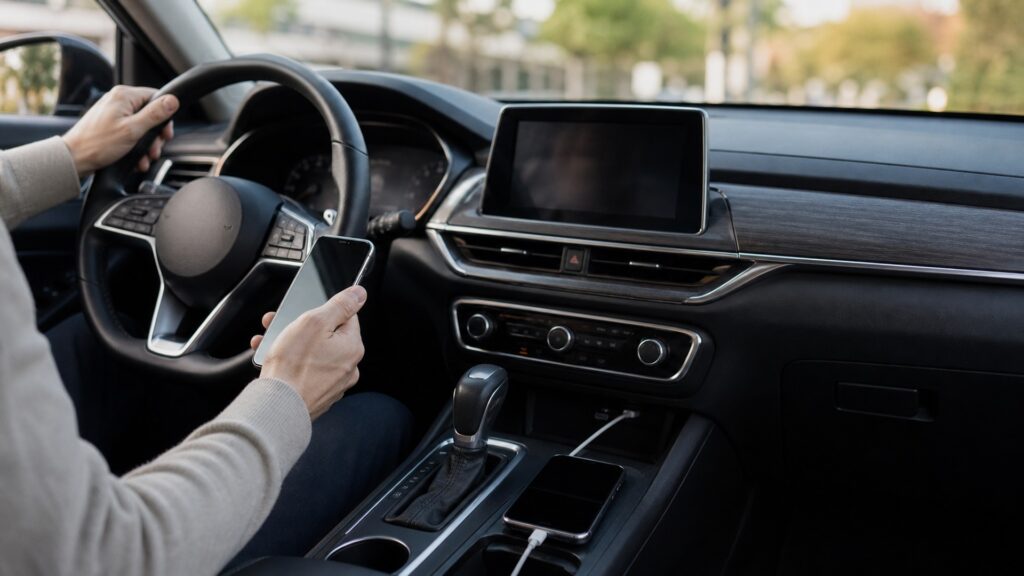
Both modes must establish trust, transport commands and media, use the vehicle display and controls, and recover when either side stops responding.
Tip: If CarPlay becomes unreliable, test one known-good mode at a time; changing the phone, cable, adapter, charging pad, and vehicle settings together destroys the evidence.
These terms locate the actual connection rather than treating wireless as a cable with the plug removed.
The active exchange that projects supported iPhone functions through the vehicle interface.
A physical connection carrying compatible data between the iPhone and a designated vehicle port.
The setup process that identifies and authorizes a phone for cable-free CarPlay use.
Short-range radio exchange commonly used to find devices and begin wireless setup.
A higher-capacity wireless link used by supported systems for ongoing CarPlay data.
An aftermarket bridge that presents a wired CarPlay interface to the car and a wireless interface to the phone.
Tip: Record which phone, vehicle profile, port, cable, and mode failed; the same screen symptom can begin in different layers.
Plugging into the correct CarPlay-capable port starts a hardware and software handshake. The cable, connectors, port, phone, and head unit must all sustain it. Physical attachment reduces radio dependence but introduces wear, debris, and cable-quality failures.
Wired reliability is only as strong as the entire connector chain.
A supported vehicle first identifies and authorizes the phone, then establishes the wireless resources needed for the session. Apple directs users to enable Bluetooth and Wi-Fi for wireless setup, showing that the path depends on coordinated radios and stored trust.
Wireless convenience is created by remembered identity and successful reconnection, not by eliminating connection work.
A cable makes the chosen phone explicit when it is plugged in. Wireless systems must decide which known phone to join, wait for radio readiness, and sometimes negotiate with competing profiles. That can save effort or create ambiguity in shared vehicles.
Automatic connection is valuable only when the vehicle chooses the intended phone.
A wired CarPlay connection often supplies power, while wireless CarPlay requires a separate charging decision. Wireless charging can add heat, and navigation, cellular data, display activity, and a warm cabin can raise phone temperature further.
Cable-free data does not mean power-free operation.
Native wireless is integrated into the vehicle's supported design. An adapter translates between interfaces and adds its own boot process, firmware, compatibility list, and recovery procedure. A problem can therefore belong to the phone, vehicle, or bridge.
An adapter can add convenience while also adding another device that must start, update, and remain compatible.
Feature appearance may be similar while power delivery, startup behavior, and failure isolation differ substantially.
Wired CarPlay offers an explicit physical connection and often combines data with charging for long or reliability-sensitive trips.
Wireless CarPlay reduces plug-in friction and can make frequent short drives or repeated entry more convenient.
Neither mode guarantees identical behavior across vehicles, ports, iPhone versions, cables, radio environments, or paired-device configurations.
Aftermarket wireless adapters cannot create every capability of a factory-native implementation and may add delay, updates, or incompatibilities.
These myths treat the on-screen interface as proof that the underlying path is identical.
Bluetooth may help discovery and setup, but supported wireless CarPlay also relies on Wi-Fi being enabled for the higher-capacity session. Ordinary Bluetooth audio does not provide the same projected interface or control integration.
A worn connector, contaminated port, incompatible or damaged cable, unstable USB module, phone software, or head-unit fault can still interrupt a wired session. Physical connection narrows some variables; it does not remove them.
Battery use depends on navigation, cellular conditions, screen activity, audio, temperature, trip duration, and whether separate charging is present. The meaningful test is the phone's observed energy and heat behavior in that vehicle.
An adapter must boot, emulate a supported wired endpoint, establish its own wireless session, and remain compatible with both systems. That translation can change startup time, updates, audio delay, and troubleshooting responsibility.
Tip: When performance changes, isolate the transport, power source, and pairing state before blaming the apps shown on the display.
These answers address setup, charging, audio quality, connection failures, and choosing a mode for shared vehicles.
Yes. Apple documents vehicles that allow both and may offer wireless connection after an initial USB setup. The exact ports, prompts, and switching behavior remain vehicle-specific, so consult the owner's manual.
No; the wireless data session itself does not supply electrical power. Charging requires a cable, compatible charging pad, or other source, each with its own power, placement, and thermal behavior.
Both can deliver high-quality vehicle audio, but implementation, app stream, head-unit processing, network stability, and adapter behavior matter. Avoid claiming a universal audible winner without controlled testing in the specific system.
Confirm Bluetooth, Wi-Fi, Siri, vehicle selection, and automatic-join settings; restart both endpoints; then rebuild the saved profile if necessary. Test wired CarPlay separately to identify whether the projection system still works.
Wired operation makes phone selection explicit, while wireless operation can favor convenience for a primary driver. Shared users should learn profile priority, device switching, privacy cleanup, and how to prevent an unintended phone connection.
Wireless and wired CarPlay expose a similar interface through different transport and power arrangements, so their tradeoffs appear in startup, charging, heat, reliability, and failure recovery.
Choose by the vehicle's native support and the trip's needs, then keep a known-good cable or clean re-pairing method as the diagnostic baseline.
These explainers show how projection, dedicated navigation, power, radios, displays, and vehicle controls divide responsibility.
Compare phone projection with a self-contained navigation device when offline maps, routing profiles, mounting, or operational independence matter.
Trace the power, data, network, software, display, and control layers that support either CarPlay connection.
Understand what vehicle and phone data can be collected, transmitted, retained, or exposed through connected features.
Choose a retailer
Prices checked regularly. We may earn a commission at no cost to you.