
Generic OBD
Standardized emissions-related access to items such as applicable codes, readiness, freeze frame, and selected current data.
- It creates a common floor
- It is not whole-vehicle coverage
- Vehicle support still varies
Use an OBD diagnostic tool when the unresolved problem requires information from vehicle controllers: fault status, freeze frame, readiness, live parameters, module discovery, or a supported command. That tool provides a window into electronic observations and helps test a repair hypothesis; it does not improve music reproduction or everyday media control.
Use a car stereo head unit when the desired result belongs at the dashboard interface—source selection, phone integration, audio processing, preamp control, or playback management. Some head units expose limited vehicle data through an interface, but that display is not automatically a complete scan platform. Choose by the missing job, then protect every retained vehicle function.
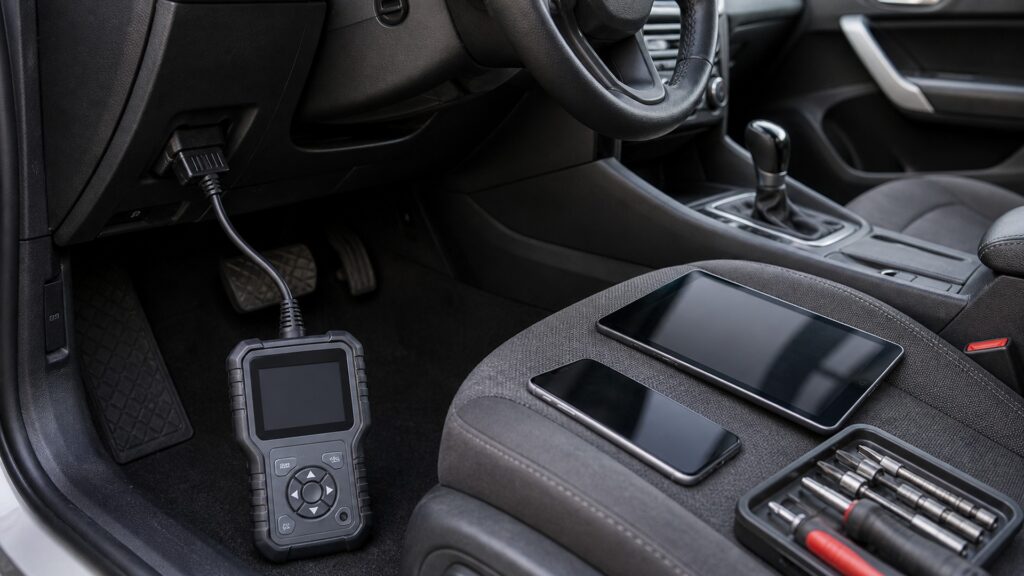
A scan tool answers a bounded diagnostic question; a head unit manages routine audio and interface tasks for occupants.
Tip: Describe the next action after purchase. If it is diagnose and document, investigate scan coverage; if it is listen and control, investigate the receiver path.
These terms distinguish service access from the installed entertainment interface.
Standardized emissions-related access to items such as applicable codes, readiness, freeze frame, and selected current data.
Vehicle-specific access to additional modules, parameters, tests, resets, topology, or service routines.
A request sequence that identifies responding controllers and retrieves supported fault information across the chosen vehicle scope.
A supported diagnostic command used to activate an output or routine while its physical response is observed safely.
The dashboard component that manages media sources, user controls, audio signals, and often phone or display functions.
A factory behavior—such as controls, chimes, cameras, settings, or amplifier communication—that must continue after installation.
Tip: Use exact functions and modules in requirements instead of broad compatibility badges.
A warning lamp, intermittent electrical symptom, emissions-readiness question, network complaint, or post-repair check may require module status that a receiver never requests. Identify the controller, record, parameter, or command needed before selecting the tool.
Diagnostic selection is strongest when the question and proof are named together.
A receiver upgrade belongs to persistent listening and dashboard interaction: radio or app sources, calls, audio processing, channel outputs, volume behavior, and supported displays. It should be judged during ordinary use, not by its service menu.
A head unit succeeds through repeatable occupant use rather than diagnostic depth.
An integration interface may show coolant temperature, voltage, or selected gauges on the receiver. Useful presentation does not guarantee all-module scans, code status, freeze frame, high-rate graphs, active tests, or service resets.
A convenient gauge can complement a scanner without replacing it.
Aftermarket wiring, interfaces, power feeds, network adapters, and connector access can affect communication or physical reach. Preserve the data link connector, document added modules, and test sleep behavior before blaming either device for a new symptom.
Good integration leaves both the service path and cabin interface predictable.
For the scanner, identify the vehicle, scan required modules, save a report, and verify one supported function. For the head unit, test sources, controls, calls, audio channels, retained features, startup, and shutdown.
Two focused demonstrations expose gaps that a single showroom screen hides.
Showing a few parameters can be useful, but diagnostic depth depends on protocols, module coverage, definitions, status, functions, security access, and reporting.
A head unit may present selected vehicle information while a separate scanner handles repair evidence.
Audio can reproduce alerts without owning the diagnostic logic behind them.
A scanner cannot supply the daily media and acoustic chain expected from a receiver.
A head unit cannot be assumed to clear, command, calibrate, or document unsupported controllers.
These myths confuse a shared dashboard location with equivalent service capability.
Gauge support may expose selected values, but it does not establish module breadth, code status, freeze frame, graph timing, active tests, resets, security access, or reports. Confirm every required diagnostic function for the exact vehicle.
Scanners can inspect pending or history faults, readiness, module communication, live relationships, and supported commands even without an illuminated lamp. Use those observations to test a defined symptom rather than searching randomly.
Aftermarket interfaces, wiring changes, shared power, network connections, and blocked connector access can create communication problems. Document the installation, inspect the data link, and compare full module scans before and after the change.
Price does not prove vehicle-specific diagnostics, authorized functions, retained factory behavior, audio quality, or long-term software support. Verify the exact modules, service tasks, sources, controls, and integration requirements that matter.
Tip: Follow the evidence and the daily user task separately.
These answers resolve common choices between portable service equipment and an installed receiver.
Start with suitable diagnostic access because the problem requires controller evidence and physical testing. Preserve codes, status, freeze frame, readiness, and relevant live values before clearing anything; upgrade the head unit only for a separate need.
They can handle supported tasks when the adapter, app, protocol, vehicle coverage, security, update policy, and report features are adequate. Confirm module depth and command safety rather than assuming every phone-based setup is equivalent.
It may be enough for convenient observation of explicitly supported gauges during normal use. It is not enough when diagnosis needs fault status, freeze frame, multi-module scans, faster logging, active tests, resets, or traceable reports.
The list may include steering controls, amplifiers, chimes, cameras, climate displays, settings, antennas, USB ports, microphones, and network behavior. Identify the exact vehicle configuration, then test every promised retention path.
First prove scan connection, module coverage, reporting, and a low-risk supported function. Separately prove all receiver sources, controls, channels, calls, and retained features; then test shared power, networks, startup, shutdown, and sleep.
Use an OBD diagnostic tool instead of a car stereo head unit when the job requires controller evidence, module coverage, fault context, live measurements, service tests, or repair documentation.
Use a head unit for ongoing media, controls, and audio routing. If both are needed, preserve diagnostic access and factory integration, then perform separate service and daily-use acceptance tests.
The related explainers deepen the diagnostic exchange, the dashboard audio chain, and the fit boundaries that keep both dependable.
Trace the diagnostic request, response, decoding, context, and confirmation path.
Follow the complete car stereo head units mechanism and its own acceptance evidence.
Check connector, protocol, module, function, power, and workflow compatibility.
Choose a retailer
Prices checked regularly. We may earn a commission at no cost to you.