When to Use Professional Scan Tools Instead of DIY Scan Tools

A DIY scan tool is often enough to read emissions-related powertrain codes, view common live data, clear faults after a repair, and support basic ownership checks. A professional platform becomes necessary when the diagnostic question lives in manufacturer-specific modules or requires the vehicle to perform a commanded test.

The boundary is capability plus consequence, not screen size. Anti-lock brakes, restraint systems, body networks, immobilizers, steering, battery management, driver assistance, and service procedures may need enhanced data, topology, bidirectional control, secure access, or coding. Those functions create risk: commanding pumps, motors, solenoids, relearns, or programming events without procedure, voltage support, and recovery planning can disable systems. Escalate when the required function, coverage proof, or support path exceeds the DIY tool.

By: Review Streets Research Lab
Updated: August 31, 2026
Explainer · 8-12 min read
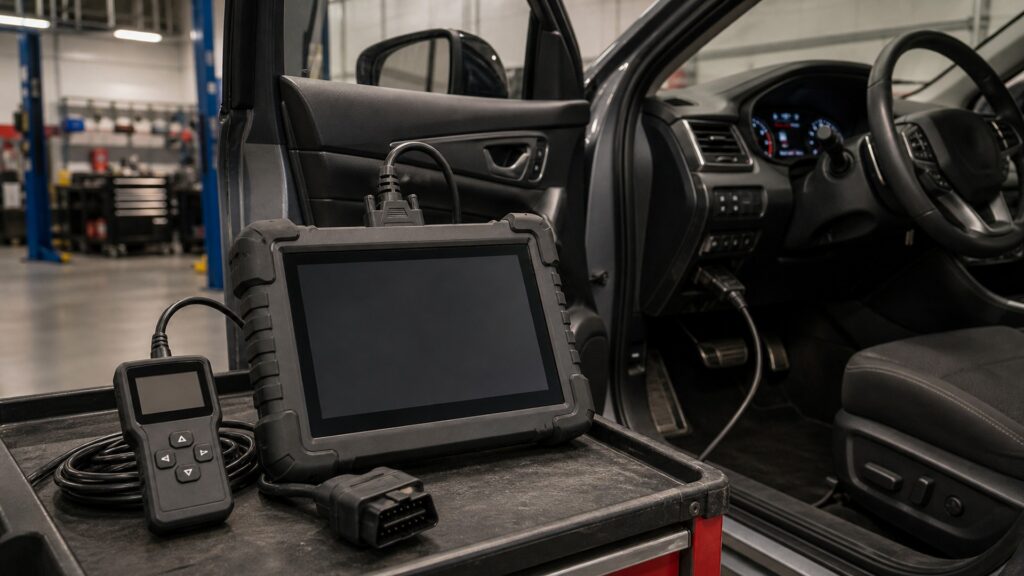
professional scan tools instead of diy scan tools explainer hero image for Review Streets
What You'll Learn

Escalate When the Test Must Change Vehicle State

Reading a symptom is different from commanding hardware, writing configuration, unlocking a gateway, or proving network communication across every module.

  • Start with the exact diagnostic question
  • Check year-model-system coverage by function
  • Separate generic from enhanced data
  • Treat active tests as real actuator commands
  • Plan stable voltage for programming
  • Confirm recovery and support before writing

Tip: Ask the tool vendor to demonstrate the exact model-year function—not merely brand coverage. Reading engine codes does not prove ABS bleeding, battery registration, topology, calibration, coding, or secure-gateway capability.

Definitions

Key Concepts That Define Professional and DIY Scan Tools

These terms mark the steps where a scanner moves from reader to service instrument.

Generic OBD-II

Standardized emissions-related diagnostic access shared across compliant light-duty vehicles through defined services and data.

  • Coverage centers on regulated powertrain information
  • Code meaning still requires diagnosis
  • It does not expose every module

Enhanced Diagnostics

Manufacturer-specific codes, data, tests, and functions beyond the common generic OBD-II layer.

  • Definitions vary by make and model
  • Coverage can differ within one tool
  • Updates preserve changing applications

Bidirectional Control

A command sent through the diagnostic network asking a module to operate an output or change state.

  • It can isolate wiring from mechanical faults
  • Unexpected motion or pressure is possible
  • The service procedure defines safe conditions

Module Topology

A map showing detected control modules and their communication relationships on vehicle networks.

  • Missing nodes can reveal network faults
  • Gateway placement shapes visibility
  • A map is not a wiring diagram

Secure Gateway

A protected access layer requiring approved authentication before selected diagnostic or service commands are accepted.

  • Read access may differ from write access
  • Account and subscription status matter
  • Bypass methods can create legal and security risk

Pass-Thru Programming

Use of a compliant interface and manufacturer software to transfer approved calibration files to vehicle modules.

  • Stable voltage and communication are critical
  • Files and procedures are vehicle-specific
  • Interruption may require recovery service

Tip: Feature availability must be confirmed for the exact vehicle, software version, region, subscription, and authorization state.

Generic Data Answers a Narrow but Valuable Question

Use It Fully before Buying Complexity

A basic tool can retrieve diagnostic trouble codes, freeze-frame records, readiness monitors, and selected parameter IDs. That supports emissions diagnosis and pre-inspection checks, but a code identifies a monitored condition rather than the failed component.

  • Save codes and freeze frame before clearing
  • Graph relevant data under repeatable conditions
  • Check readiness after repairs
  • Use wiring and test information to prove cause

A limited tool used methodically can outperform an advanced platform used as a parts catalog.

Enhanced Coverage Opens the Rest of the Vehicle

ABS, Airbag, Body, Chassis, and Energy Modules Need Their Own Language

Professional tools translate proprietary identifiers, routines, and fault details across many controllers. The value is not simply more codes; it is access to the module where the symptom originates and the supporting data needed to test it.

  • Run a complete vehicle scan
  • Record module communication status
  • Distinguish current history and pending faults
  • Verify definitions against service information

The right module view prevents a powertrain-only explanation from swallowing a chassis or network fault.

Active Tests Collapse the Diagnostic Tree

Command an Output and Observe the Electrical and Mechanical Response

Operating a fan, valve, pump, relay, motor, lamp, or solenoid can separate command logic from wiring and hardware. The command may move components, pressurize circuits, change idle, or release brakes, so prerequisites and exclusion zones matter.

  • Read hazards before sending commands
  • Monitor current pressure or position simultaneously
  • Set a short stopping rule
  • Return every temporary state to normal

A bidirectional control is a physical act delivered through software.

Service Functions Can Write Lasting State

Relearns, Coding, and Calibration Need Power and Procedure

Battery registration, steering-angle setup, brake bleeding, injector coding, immobilizer work, and module programming vary by vehicle. Some are guided routines; others need factory software, security credentials, or post-programming calibrations.

  • Use approved voltage support
  • Confirm internet and subscription continuity
  • Save original configuration where allowed
  • Plan recovery before beginning a write

The cost of a failed programming event can exceed the difference between tool tiers.

Professional Means Supportable, Not Merely Expensive

Coverage Data, Updates, Logs, and Help Determine Shop Value

A professional platform should document supported functions, maintain current definitions, capture and export data, identify software versions, and provide a support path. Hardware price without dependable updates can leave critical coverage stale.

  • Price annual ownership, not the tablet alone
  • Test speed and graphing on real vehicles
  • Review security-access policy
  • Keep a second path for essential programming

The tool earns its place by reducing diagnostic uncertainty and workflow risk over repeated jobs.

Quick Reality Check

The Threshold Is Function and Consequence

Use professional capability when the job crosses from generic emissions reading into manufacturer modules, commanded outputs, protected access, or persistent vehicle state.

Stay with a DIY Tool When

The task is limited to generic emissions codes, freeze frame, readiness, common data, or a well-supported maintenance function that the exact tool explicitly covers.

The user can interpret the data with service information and does not need bidirectional control, secure access, coding, calibration, programming, or shop-grade documentation and support.

Escalate to Professional Capability When

The fault spans non-powertrain modules or networks, an active test can isolate the cause, or the procedure requires protected functions, guided routines, configuration writes, calibrations, or factory pass-thru software.

Do not improvise a write event, safety-system command, immobilizer function, high-voltage routine, or automated brake process without exact coverage, authorization, voltage support, hazards, and recovery planning.

Common Myths

Misconceptions About Professional and DIY Scan Tools

Scan-tool myths confuse the number of menu items with verified coverage and mistake data access for diagnosis.

A code reader tells you which part is bad

A code identifies a condition detected by module logic. The cause may be wiring, power, ground, network, mechanical state, software, contamination, or another system, so testing must connect the fault criteria to measured evidence.

Professional tools cover every function on every vehicle

Coverage varies by year, model, engine, module, region, software, subscription, and security access. Even high-end platforms have gaps, so verify the exact function and maintain factory-tool or pass-thru options where needed.

Bidirectional control makes diagnosis automatic

An active test changes an output, but the technician must choose the command, monitor the right response, and interpret the result. A commanded component can still move while pressure, flow, load, or feedback remains faulty.

Clearing codes proves the repair worked

Clearing erases evidence and resets monitors; it does not remove the cause. Repeat the original operating condition, confirm data and system function, complete required readiness or relearn processes, and rescan for returning or related faults.

Tip: Define the needed function and its failure consequence before choosing the least expensive platform that can perform it safely and supportably.

FAQ

Frequently Asked Questions About Professional and DIY Scan Tools

These answers address ownership cost, coverage research, programming, subscriptions, security access, and whether a capable DIY user can responsibly operate professional hardware.

What should a professional scan tool cost include?

Count hardware, adapters, updates, make-specific software, security credentials, internet service, technical support, repair information, battery support, and staff training. A low purchase price can become expensive when essential functions require separate subscriptions.

How can exact vehicle coverage be checked?

Use the vendor's year-make-model-function coverage database, confirm regional variants and software requirements, and test on the actual vehicle when possible. Marketing claims such as full-system or all-makes do not establish one specific routine.

Can a scan tool damage a vehicle?

Reading data is generally low risk, but active commands, configuration changes, resets, coding, and programming can move hardware or corrupt state when conditions are wrong. Follow service procedures, maintain voltage, and preserve a recovery path.

Is a subscription required after purchase?

It depends on the platform and function. Basic operation may continue while new coverage, cloud features, secure gateways, service information, or technical support expire; understand which capabilities stop, freeze, or incur per-use charges.

Can an experienced owner use a professional tool?

Yes, if lawful access, service information, training, vehicle support, and safety controls match the task. Ownership does not create authorization for security functions or competence for airbag, brake, high-voltage, or programming procedures.

Bottom Line

Use a professional scan tool instead of a DIY scanner when diagnosis needs manufacturer modules, network topology, active tests, protected access, guided service functions, configuration, calibration, or supported programming.

Stay with the simplest tool that answers the real question, but verify exact function coverage and escalate before a missing feature—or an unsupported write—turns diagnostic savings into vehicle downtime or safety risk.

Next Steps

Choose Capability by the Diagnostic Question

Related explainers separate OBD-II fundamentals, physical measurement, and the larger garage workflow so scanner sophistication never replaces causal testing.

Why OBD-II Diagnostics Matter

Understand standardized OBD-II codes, monitors, freeze frame, and live data before treating expanded access as diagnosis.

Why Diagnostic Equipment Matters

Combine scanner data with voltage, current, pressure, waveform, temperature, vacuum, and mechanical measurement to prove a fault.