Why Interior Comfort Maintenance Role Matters

Seat cushions and covers collect perspiration, body oils, crumbs, pet hair, cleaner residue, and moisture. Foam and gel supports slowly change shape. Elastic straps stretch, non-slip backing polishes smooth, fan inlets collect lint, and 12-volt plugs endure repeated heat and bending. Cleaning only the visible surface misses most of what determines continued comfort.

Maintain each product according to its material and failure mode. Remove covers only as directed, keep foam and electrical parts away from unapproved soaking or heat, dry every layer, and inspect seams, backing, straps, plugs, controllers, and airflow paths. Reinstall at the marked position and repeat the trip that originally established the comfort benefit.

By: Review Streets Research Lab
Updated: September 14, 2026
Explainer · 8-12 min read
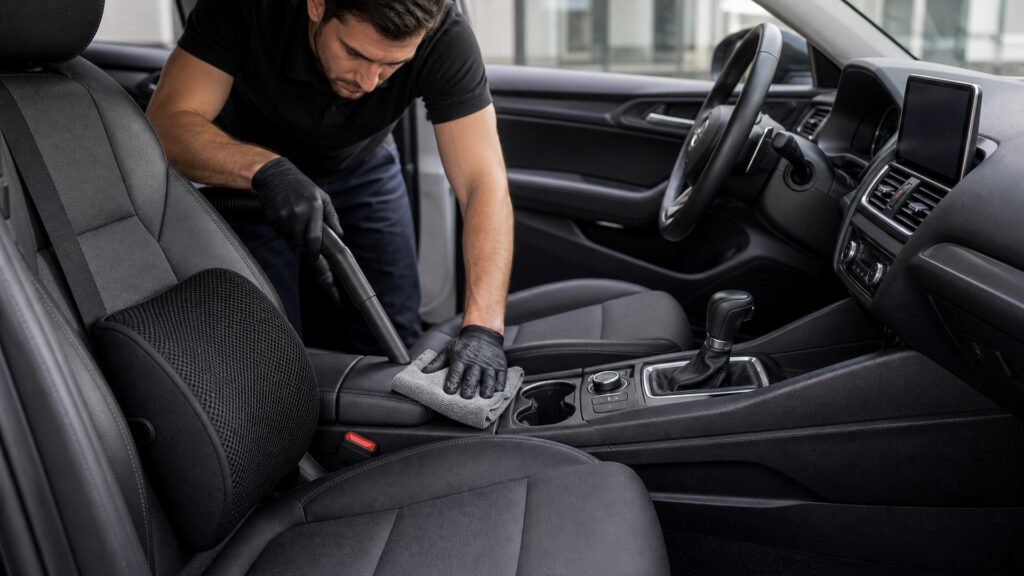
interior comfort maintenance role explainer hero image for Review Streets
What You'll Learn

What to Clean, Inspect, Adjust, or Replace

Match maintenance to the product's materials, support structure, attachment method, airflow path, and electrical components.

  • Removable covers and body-contact surfaces
  • Foam, gel, air cells, and lumbar shapes
  • Elastic straps, clips, and non-slip backing
  • Fan inlets, outlets, and noise
  • Plugs, cables, controllers, and heat
  • Hidden moisture on the vehicle seat
  • Replacement signs after reinstallation

Tip: Before removing anything, photograph strap routing and mark the position that worked for the occupant.

Definitions

Key Concepts That Define Interior Comfort Maintenance Role

The terms below are specific to interior comfort maintenance role and the products a buyer will compare.

Support Recovery

The return of foam, air cells, springs, gels, or adjustable structures toward their intended shape and load distribution after use.

  • Compare unloaded cushion shape with its original profile
  • Check pressure distribution after the normal trip length
  • Replace support that remains collapsed or uneven

Contact Hygiene

Control of body oils, moisture, allergens, debris, residue, and odor on surfaces that touch occupants or clothing.

  • Identify washable covers and non-washable inserts
  • Remove perspiration, oils, crumbs, and residue as directed
  • Dry completely before the product touches the seat again

Attachment Preload

The initial tension or clamping force that lets straps, clips, hooks, or friction layers resist movement without damaging the vehicle.

  • Check elastic tension, clips, seams, and backing
  • Load the product during entry, exit, and braking
  • Replace attachments that cannot hold the marked position

Airflow Restriction

Reduced air movement caused by dust, lint, clothing, blocked inlets, collapsed ducts, filters, or poor product placement.

  • Inspect fan intake and outlet for lint or clothing blockage
  • Listen for speed changes or bearing noise
  • Stop use if airflow falls while the motor heats

Connector Condition

The cleanliness, fit, temperature history, strain relief, insulation, and mechanical integrity of plugs, outlets, cables, and controllers.

  • Look for loose plugs, pinched cables, damaged insulation, and hot spots
  • Test every setting with wiring fully exposed
  • Retire electrical parts that heat, smell, or cut out

Retirement Cue

Damage, drift, contamination, electrical behavior, or lost performance showing that cleaning or adjustment can no longer restore safe service.

  • Treat irreversible compression, odor, contamination, or damage as end-of-life evidence
  • Compare repair cost with correct replacement
  • Do not keep a product solely because its cover looks clean

Tip: Apply each interior comfort maintenance role check with the actual occupant, product, load, and vehicle.

Condition Survey

Inspect the Occupied Interfaces Before Cleaning

Record support shape, surface feel, odor, moisture, attachment position, airflow, cable routing, connector appearance, and the symptom the product is meant to control. Inspection preserves diagnostic evidence that washing may erase. Take a before-service photo of cushion placement, lumbar height, strap routing, controller location, and cable path.

  • Photograph installed position
  • Check hidden faces
  • Note occupant changes

Maintenance begins by identifying which capacity has actually declined.

Material Care

Remove Contamination Without Changing Support or Friction

Use compatible cleaners, water, agitation, temperature, and drying for foam, textiles, gels, coatings, plastics, or leather-like surfaces. Residue and trapped moisture can change grip, odor, heat transfer, and material strength. A removable textile cover, memory foam insert, gel pad, coated surface, and electrical heater require different cleaning methods.

  • Follow material instructions
  • Rinse or wipe residues
  • Dry completely before installation

A clean appearance does not prove restored material behavior.

Mechanical Reset

Recover Shape and Reestablish Stable Attachment

Inspect compression set, seams, cells, straps, clips, backing, and adjustment hardware. Refit only parts that recover their designed form and hold the accepted position through entry, exit, braking, and seat movement. After drying, compare foam height, gel distribution, seam tension, strap elasticity, and non-slip backing with the prior accepted condition.

  • Unload support fully
  • Replace damaged fasteners
  • Cycle occupant transitions

Geometry and retention are functional maintenance outputs.

Powered Service

Air Paths and Electrical Interfaces Need Separate Inspection

Clear approved inlets and outlets, check fan noise, examine cables and strain relief, monitor plug and surface temperature, test every setting, and verify shutdown. Never bury damaged wiring beneath padding or trim. Lint in a fan inlet and heat at a 12-volt plug are separate maintenance problems and deserve separate inspection.

  • Disconnect before inspection
  • Keep vents unobstructed
  • Confirm off-state behavior

Powered comfort remains serviceable only when energy and airflow stay bounded.

Return-to-Use Review

Reassess the Actual Occupant and Know When to Retire

Reinstall at the documented location, verify belts, airbags, controls, views, and exits, then repeat the representative trip. Replace products with irreversible compression, instability, odor, contamination, overheating, damaged wiring, or lost support. Replace products that remain deformed, slide after adjustment, smell after proper cleaning, or show electrical damage.

  • Restore baseline geometry
  • Repeat the symptom trial
  • Record retirement decision

The final maintenance step proves that service restored the promised outcome.

Quick Reality Check

Cleaning Can Expose a Vehicle Problem

Moisture or odor that returns beneath a dry cushion may come from a leak, wet upholstery, failed seat ventilation, or another vehicle condition rather than the accessory.

Signs the product can return to use

The original support, surface, airflow, or thermal result returns without new symptoms.

The serviced product stays dry, stable, electrically normal, and clear of every vehicle interface.

Damage or symptoms that end routine maintenance

Structural, restraint, airbag, or vehicle-electrical faults are outside routine accessory care.

Unresolved pain, numbness, weakness, or mobility problems need appropriate expertise.

Common Myths

Misconceptions About Interior Comfort Maintenance Role

Maintenance mistakes to avoid

Visible cleanliness means maintenance is complete

A surface can look clean while retaining moisture, residue, collapsed support, loose attachments, restricted airflow, hidden abrasion, or heat-damaged wiring. Completion requires material, mechanical, electrical, fit, and occupant-response checks after reinstallation.

More detergent removes every odor

Excess or incompatible cleaner can leave residue, trap moisture, alter friction, weaken coatings, irritate occupants, or drive contamination deeper into foam. Identify the odor source and follow material-specific quantities, rinsing, extraction, and drying guidance.

Compressed foam always returns overnight

Recovery depends on material, load history, temperature, age, cell damage, and compression set. Compare unloaded shape and occupied support with the accepted baseline; retire material that no longer distributes load or stays stable.

A working indicator proves electrical health

An illuminated controller does not prove outlet fit, low-resistance connections, intact insulation, safe surface temperature, unobstructed airflow, reliable cycling, or shutdown. Inspect and test the complete powered path under representative conditions.

Tip: Restore the product's function, not just its appearance.

FAQ

Frequently Asked Questions About Interior Comfort Maintenance Role

Questions about cleaning and replacement

How often should comfort products be maintained?

Use condition and exposure rather than one calendar interval. Inspect after spills, heavy perspiration, illness, seasonal storage, unusual heat, attachment movement, odor, noise, reduced support, changed occupants, or any electrical or comfort symptom.

What must dry before reinstallation?

Dry every body-contact surface, seam, foam layer, backing, strap, connector area, vehicle upholstery, and hidden interface affected by cleaning. Trapped moisture can support odor, corrosion, staining, friction change, material breakdown, or electrical risk.

How are attachments checked after cleaning?

Look for stretched straps, cracked clips, detached hook material, polished friction backing, weak elastic, damaged seams, incorrect routing, and lost adjustment. Reinstall, load with the occupant, cycle seats, and inspect for migration.

What indicates a blocked airflow path?

Reduced flow, rising noise, intermittent fan speed, uneven cooling, hot motor odor, lint at an inlet, crushed ducting, or clothing drawn against an opening suggests restriction. Disconnect, inspect, and service only as instructed.

When should a product be replaced?

Retire it when cleaning cannot remove contamination or odor, support remains deformed, surfaces become slippery or cracked, attachments cannot hold, wiring is damaged, connectors heat, controls fail, or safe fit and comfort cannot be restored.

Bottom Line

Return the Product to a Known Good Condition

Good maintenance restores clean and dry contact surfaces, the intended support shape, stable attachments, clear airflow, and normal electrical operation. Reinstall the product exactly, retest the original discomfort, and replace it when shape, grip, hygiene, or powered safety cannot be recovered.

Next Steps

Operating, Fit, and Safety Guides

Use these pages to compare the serviced product with its accepted operating behavior and installed position.