Why Interior Comfort Operating Function Matters

A heated seat pad can feel effective in thirty seconds and become too hot ten minutes later. A cooling cushion may start quietly, then lose airflow when clothing covers its intake. A lumbar support can feel firm in the driveway and compress enough on a long trip to change pedal reach. Those changes are the product's operating behavior.

Evaluate a comfort accessory as a sequence: the unmodified seat, startup, adjustment, steady use, shutdown, and the next startup. Buyers should compare warm-up time, usable settings, control placement, attachment stability, noise, cable routing, and off-state behavior. The best first impression is irrelevant if the product drifts, overheats, distracts, or will not reset predictably.

By: Review Streets Research Lab
Updated: September 14, 2026
Explainer · 8-12 min read
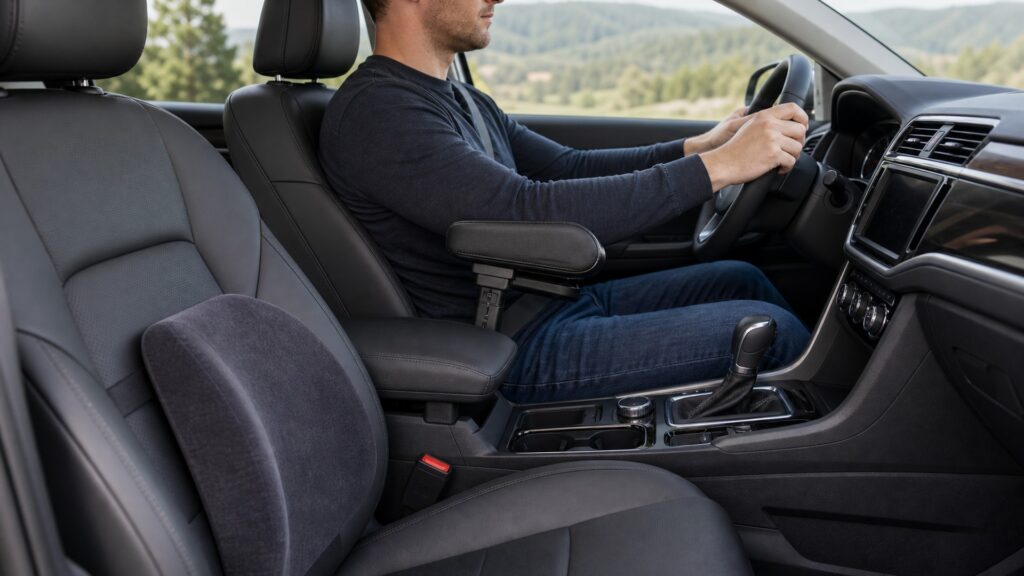
interior comfort operating function explainer hero image for Review Streets
What You'll Learn

How Comfort Products Behave During a Trip

Look past the showroom sensation and follow the product through the conditions that reveal heat buildup, foam compression, airflow loss, noise, and control problems.

  • The factory-seat and climate baseline
  • Warm-up or cool-down time
  • Usable heat, fan, or massage settings
  • Foam compression during longer drives
  • Noise and vibration after sustained use
  • Controller and cable behavior
  • Shutdown and the next startup

Tip: Test the product for at least the amount of time it normally takes the original discomfort to appear.

Definitions

Key Concepts That Define Interior Comfort Operating Function

The terms below are specific to interior comfort operating function and the products a buyer will compare.

Baseline State

The occupant and vehicle condition before an added comfort function begins, including seat position, climate, clothing, route, and existing symptoms.

  • Record seat, HVAC, clothing, route, and symptoms
  • Test the accessory against the same starting conditions
  • Keep the factory setup available for comparison

Adjustment Range

The usable span between minimum and maximum support, temperature, airflow, shade, sound, or position settings without compromising another interface.

  • Try every setting with the occupant fully seated
  • Note settings that create pressure or awkward reach
  • Ignore unusable extremes when comparing products

Response Lag

The interval between a command or environmental change and the occupant noticing a stable effect.

  • Time the delay after changing heat or fan output
  • Wait before making a second adjustment
  • Prefer controls that do not encourage constant fiddling

Thermal Plateau

The sustained surface or airflow condition reached after heating and cooling inputs approach balance.

  • Check surface temperature after the initial warm-up
  • Watch for continued heating beneath heavy clothing
  • Use the lowest setting that solves the problem

Support Drift

A gradual change in height, shape, location, or firmness as materials compress, warm, slip, or fatigue under use.

  • Recheck cushion height and edge position mid-trip
  • Look for slack straps and compressed foam
  • Reject support that repeatedly needs repositioning

Fault Cue

An observable sign such as odor, unusual heat, intermittent power, noise, movement, damage, warning indication, or an unexpected occupant symptom.

  • Treat odor, hot plugs, rattling fans, and intermittent power as faults
  • Stop use before inspecting a powered accessory
  • Replace damaged wiring instead of hiding it under a cover

Tip: Apply each interior comfort operating function check with the actual occupant, product, load, and vehicle.

Start Condition

Baseline Separates Product Effect from Vehicle Adjustment

Record seat geometry, HVAC state, outside conditions, clothing, and symptom onset before intervention. Without that reference, normal environmental change may be credited to the accessory or a worsening condition may be missed. Record the factory seat and HVAC settings before testing a heated cover, fan cushion, massage pad, or lumbar insert.

  • Fix initial conditions
  • Record the original symptom
  • Change one variable

A controlled baseline makes later comfort evidence interpretable.

Transition Behavior

Startup and Adjustment Reveal Lag, Overshoot, and Usable Range

Powered and passive products respond at different rates. Observe whether warming overshoots, airflow dries or chills, pressure moves to a new point, or a shade creates reflections during each setting change. Cycle heat, fan speed, massage modes, and adjustable support slowly enough to feel delayed changes.

  • Step through settings
  • Wait for stable response
  • Note secondary sensations

The path between settings can matter as much as the selected level.

Sustained State

Time Exposes Equilibrium and Material Creep

Continue through the period when foam settles, body heat accumulates, climate systems cycle, and posture adapts. Stable operation should improve the target symptom without creating numbness, sweating, instability, or difficult control reach. Longer testing reveals foam compression, sweat buildup, pressure migration, fan noise, and cable tug that a driveway trial misses.

  • Match real trip duration
  • Recheck body contact
  • Confirm control access

Long-duration evidence distinguishes durable comfort from brief novelty.

Degraded Operation

Fault Cues Must Produce a Clear Stop Decision

Hot connectors, odor, discoloration, frayed cables, intermittent controls, growing noise, slipping supports, blocked vents, or new symptoms indicate degradation. Users need an immediate, understandable way to remove energy or stop reliance. A hot plug, scorched smell, buzzing controller, stalled fan, or sliding pad is a stop signal rather than an inconvenience.

  • Inspect before each use
  • Keep shutdown reachable
  • Retire damaged components

Predictable failure handling is part of normal operating function.

Return to Service

Shutdown, Cooling, Cleaning, and Reset Complete the Cycle

Confirm powered products turn off, surfaces cool, stored settings do not create surprises, passive parts recover shape, and attachments return correctly after cleaning. Re-establish the baseline before judging a repair. After cleaning or storage, confirm the controller starts at the expected setting and the support returns to its marked position.

  • Verify off-state current
  • Allow thermal recovery
  • Repeat the baseline check

A comfort system is not reset until its next startup is safe and repeatable.

Quick Reality Check

Highest Output Is Usually a Poor Comparison Point

Maximum heat, airflow, massage intensity, or cushion height may create a fast sensation while making long-drive comfort, noise, posture, or electrical stress worse.

Signs the product is working normally

The target symptom improves after the expected response lag and remains improved through representative duration.

Shutdown removes energy predictably and the accessory returns to its accepted position and condition.

Reasons to stop using the product

Repeated faults, damaged wiring, uncontrolled heat, or vehicle warnings require qualified inspection.

Persistent functional or medical symptoms should not be managed solely by an accessory.

Common Myths

Misconceptions About Interior Comfort Operating Function

Misleading assumptions about operation

Instant warmth proves correct operation

Rapid sensation does not establish surface-temperature control, connector condition, power compatibility, cycling behavior, shutdown, or occupant tolerance. Continue until thermal plateau, inspect the circuit, and stop if heat, odor, discomfort, or intermittent behavior appears.

More support always improves posture

Added height or firmness can move pressure, change pelvic angle, alter head-restraint position, increase pedal reach, or reduce belt contact. Evaluate support across the whole body and through the original trip duration.

A quiet fan is moving enough air

Low noise may reflect efficient operation, restricted intake, weak power, poor placement, or little airflow. Check the actual body zone, vent path, filter condition, temperature response, and whether clothing blocks the intended exchange.

Turning the vehicle off resets every accessory

Some products retain settings, remain energized by constant outlets, store heat, or shift during entry and exit. Verify the electrical off state, cooling, physical position, and next-start behavior instead of assuming vehicle shutdown is sufficient.

Tip: Judge the whole trip, including shutdown and restart.

FAQ

Frequently Asked Questions About Interior Comfort Operating Function

Practical questions about settings and run time

What belongs in a comfort baseline?

Record seat and steering position, belt and head-restraint geometry, HVAC and vent settings, clothing, outside conditions, route, trip duration, symptom location, onset time, and the occupant's unassisted control reach. what

How many settings should be tested?

Test every usable level and transition, including startup, incremental changes, maximum output briefly when appropriate, return to a moderate state, and shutdown. Reject settings that impair posture, sensation, controls, visibility, or safe attention.

What signals support drift?

Changing seat height, a migrating edge, recurring strap slack, concentrated pressure, renewed reaching, uneven foam recovery, or a need for repeated repositioning indicates that the accepted support geometry is not remaining stable.

How should powered products be monitored?

Inspect plugs and cables, verify circuit compatibility, observe connector and surface heat, listen for changing noise, keep controls reachable, confirm timed or manual shutdown, and check whether the outlet remains live while parked.

When is the operating test complete?

Completion requires the original symptom to improve through realistic duration, no new symptom or interface problem, predictable behavior at each chosen setting, visible fault cues, reliable shutdown, and a repeatable next-use baseline.

Bottom Line

Judge the Whole Operating Cycle

Compare a comfort product at startup, after adjustments, once temperature and materials stabilize, and after shutdown. A good product solves the original discomfort at a moderate usable setting, stays put, remains easy to control, and starts the next trip without surprises.

Next Steps

Fit, Maintenance, and Safety Guides

Use these pages to check whether the operating behavior fits the vehicle and remains reliable after repeated use.