
Terminal Tension
The contact force that allows a connector terminal to mate securely without intermittent resistance or communication loss.
- Repeated use can relax it
- Side load accelerates wear
- Vehicle sockets need protection
OBD tools can drift from dependable to misleading without a dramatic failure. Connector pins loosen, cables break internally, batteries weaken, clocks wander, wireless pairings persist, storage fills, and software or vehicle-coverage databases become stale. A tool may still open and display familiar menus while communication or interpretation has changed.
Maintenance matters because diagnosis compares small differences across time. The scanner must preserve the vehicle connector, request data reliably, label it with current definitions, timestamp and export it accurately, and recover after interruption. A useful routine separates hardware care from software and account care, protects historical reports, and finishes on a known vehicle with repeatable reads and carefully controlled functions.
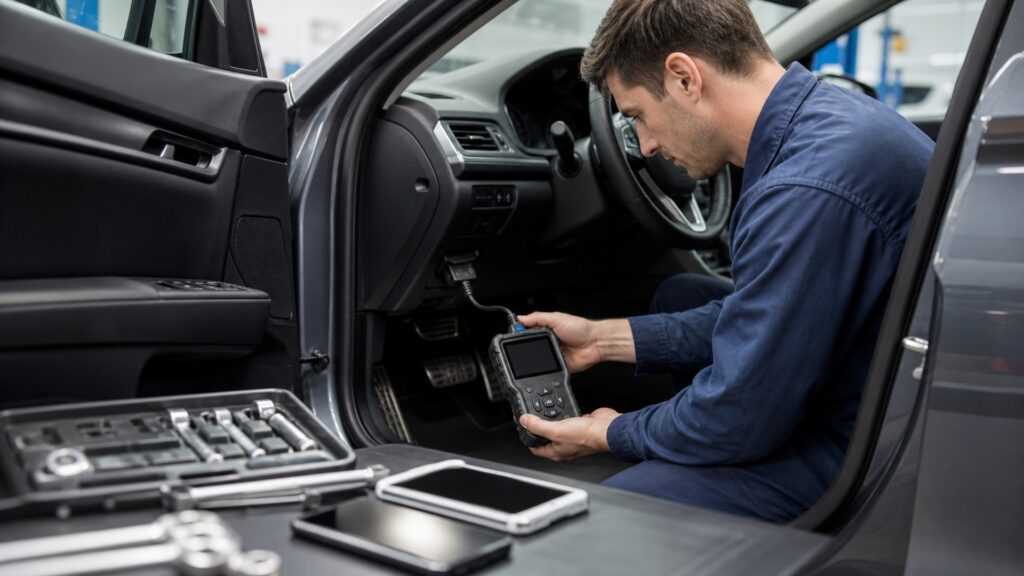
Reliable diagnostic work depends on the physical interface, communication hardware, software definitions, power source, security state, stored records, and a reproducible performance baseline.
Tip: Record the tool version, adapters, licenses, and baseline results before an update; maintenance without a before-state cannot explain later change.
These terms identify slow failures that can survive a simple power-on check.
The contact force that allows a connector terminal to mate securely without intermittent resistance or communication loss.
The software content mapping vehicles, modules, parameters, functions, and service routines supported by the tool.
The reference text and metadata used to translate diagnostic identifiers and statuses for a selected vehicle context.
A known, authorized vehicle and task set used to compare tool behavior before and after maintenance or software changes.
The completeness and trustworthy identity of exported diagnostic evidence, including vehicle, module, units, time, status, and tool version.
Maintenance of accounts, passwords, tokens, devices, permissions, and revoked access used for updates or protected diagnostic functions.
Tip: Tag each maintenance observation as physical, electrical, communication, interpretation, security, or recordkeeping evidence.
Look for bent or spread terminals, cracked housings, contaminated contacts, broken latches, crushed insulation, sharp bends, and intermittent behavior while the lead rests in normal positions. Protect the vehicle socket from repeated side loading.
Mechanical care protects every later byte from an unstable path.
Weak batteries can restart a handheld tool; unstable vehicle voltage can interrupt sessions; unsuitable support equipment can add ripple or exceed procedure limits. Test each power source using the manufacturer's method and retire damaged batteries safely.
Power maintenance prevents electronic symptoms from masquerading as vehicle faults.
Inventory each version and entitlement, read release notes, back up settings and reports, use stable update power, then retest exact vehicles and functions. A newer package can change labels, workflow, compatibility, or required accounts.
Update completion is the midpoint of maintenance, not its proof.
Remove unused pairings, update supported adapters, rotate compromised credentials, correct the clock, maintain free space, export reports in durable formats, and protect vehicle identifiers. Decide how long evidence should be retained.
Evidence loses value when its identity, privacy, or availability is neglected.
After maintenance, connect to an authorized baseline vehicle, confirm identification and modules, read known records, graph stable parameters, save and reopen a report, and perform only predetermined low-risk functions. Compare results with the prior baseline.
A repeatable end-to-end task is the strongest maintenance acceptance test.
Clean connectors and current software can preserve available capability, but they cannot guarantee future models, expired services, protected access, replacement parts, or manufacturer routines the product never supported.
Stable communication, accurate labeling, dependable power, secure access, and retrievable reports can be tested repeatedly.
Baselines expose gradual loss before an urgent repair depends on the tool.
Damaged hardware, unavailable updates, unsupported operating systems, exhausted batteries, or lost vendor services may end useful life.
A different authorized platform may be required for programming or specialized modules.
These myths treat a boot screen or update notice as proof that the complete diagnostic chain remains sound.
Booting tests the tool's internal power path, not terminal tension, lead continuity under flex, vehicle-socket fit, communication pins, strain relief, or adapter retention. Inspect and exercise the complete physical path under controlled conditions.
Firmware, application code, vehicle coverage, code definitions, operating-system drivers, gateway access, and licenses can follow separate releases. Record each version and entitlement, then verify important vehicles and functions after any change.
Well-identified reports provide baselines for intermittent faults, software changes, repeated vehicles, and tool regressions. Retain them according to privacy and business requirements, verify backups, and ensure vehicle, module, units, time, and version remain readable.
Phones, tablets, accounts, permissions, adapter firmware, and network settings change. Remove obsolete pairings, restrict privileges, protect credentials, review vendor support, test reconnection, and investigate unexpected access or abnormal battery behavior.
Tip: Verify the evidence path on a known task.
These answers cover practical service intervals, updates, cables, batteries, reports, and regression testing.
Inspect before use and after drops, contamination, tight cable pulls, connector complaints, battery swelling, software changes, or long storage. Set a periodic schedule based on workload, manufacturer guidance, and the consequences of missed data.
Follow the manufacturer policy. Improvised splices can alter resistance, shielding, flexibility, pin assignment, strain relief, or safety rating and may create intermittent communication. Isolate a suspect lead and replace or professionally service it as specified.
Preserve supported settings, vehicle lists, custom tests, reports, screenshots, licenses, account details, and current version records. Confirm that essential exports open independently and that any restoration process is understood before beginning the update.
Use the specified charge cycle or health indicator, observe runtime during a representative scan, inspect for swelling, leakage, case distortion, or unusual heat, and replace damaged batteries through approved service and disposal channels.
Use a known vehicle and fixed states to verify identification, expected modules, code status, selected live parameters, graph timing, report save and reopen, cable stability, reconnection, and predetermined low-risk supported functions.
OBD diagnostic-tool maintenance matters because connectors, cables, batteries, software, coverage, definitions, wireless access, clocks, storage, and reports can degrade independently.
Inspect the physical path, inventory versions and privileges, protect evidence, and retest on a known vehicle. Maintenance succeeds when the same controlled task still produces complete, correctly identified, repeatable diagnostic evidence.
These explainers identify which layer each maintenance action protects and how to verify it safely.
Map physical access, communication, decoding, context, and confirmation to each maintenance check.
Preserve connector, protocol, module, function, power, and workflow compatibility.
Retest connection, scans, live data, commands, reports, and recovery as defined states.
Choose a retailer
Prices checked regularly. We may earn a commission at no cost to you.