
Pin Integrity
The mechanical alignment, retention, cleanliness, and electrical condition of connector contacts before a tool is inserted.
- Bent contacts can short
- Spread terminals become intermittent
- Probing needs correct methods
Connecting an OBD tool opens an electrical and communication path into the vehicle. Most read-only scans are routine when performed correctly, but damaged terminals, unstable voltage, loose cables, vehicle movement, hot or rotating parts, active commands, programming interruptions, and wireless access can raise the consequence quickly. The connector is not a harmless accessory socket.
Safety factors matter because diagnostic work changes the work zone as well as the data. A cable can enter pedal space, a commanded fan can start, a relearn can change idle, and a dongle can remain powered after shutdown. Classify the task before connecting, secure the vehicle, protect the electrical system, limit access, and define a safe cancellation and recovery state.
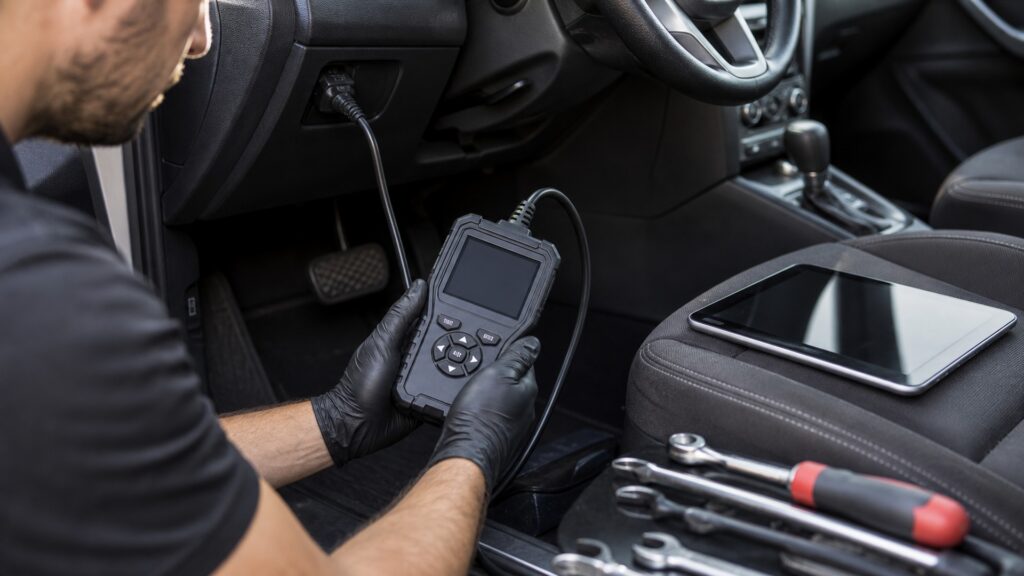
Safe OBD work accounts for electrical energy, physical placement, vehicle motion, commanded outputs, environmental exposure, software change, credentials, and driver attention.
Tip: Treat any function that commands, calibrates, resets, or programs as a higher-risk operation until the exact service procedure proves otherwise.
These terms convert a generic warning into concrete controls for the work being performed.
The mechanical alignment, retention, cleanliness, and electrical condition of connector contacts before a tool is inserted.
Measures that keep the vehicle and driven components from moving unexpectedly during a test.
A component or routine activated through diagnostic communication rather than its ordinary driver control.
Specified stable power, communication, software, and recovery provisions used while changing controller software or configuration.
An account, token, certificate, or authorization used to access protected vehicle functions.
A second qualified person who operates diagnostic equipment while the driver attends to vehicle control and traffic.
Tip: Record the hazard class and safe stop condition beside the planned diagnostic function.
Locate the correct socket, look for bent pins, debris, moisture, add-on wiring, damage, and insecure mounting, then follow tool and vehicle instructions. Do not force the connector or improvise test probes across unknown contacts.
A careful connection prevents a data task from becoming an electrical fault.
Keep adapters and leads away from pedals, steering, knees, doors, belts, fans, pulleys, exhaust, and suspension travel. Secure the vehicle for the intended test and maintain ventilation where the engine may run.
Good data is never worth an uncontrolled vehicle or entanglement path.
A code scan observes. An active test may move hardware. A reset can erase learned state. Programming rewrites controller content. Escalate power support, authorization, exclusion zones, backups, and recovery planning with the operation.
The menu hierarchy is not a risk assessment.
An always-installed dongle can retain connector power and may expose a radio or internet-linked route toward vehicle networks. Use supported products, current software, strong account controls, minimal privileges, and removal when continuous access is unnecessary.
Convenient access should not become permanent unexamined exposure.
Live road data may be necessary, but the driver should not manipulate or study the tool. Plan the route and abort criteria, assign an observer, secure equipment, and inspect post-test warnings or altered states before release.
A diagnostic objective never outranks control of the moving vehicle.
Even without commands, the connector, cable, powered adapter, wireless link, work position, running engine, and driver attention can create hazards.
Inspect, restrain, capture, and disconnect using the specified states.
Limit access to the data and functions required for the diagnosis.
Active tests, calibrations, programming, high-voltage systems, restraints, and road testing need trained procedures.
Unexpected vehicle state or unstable power is a reason to stop and reassess.
These myths minimize hazards because the tool is small or the connector is familiar.
Active tests, resets, routines, and network traffic can change states without rewriting firmware. Even passive hardware can damage terminals, load power, obstruct pedals, or remain connected after shutdown and affect sleep behavior.
Its contacts include defined power, ground, and communication functions, with vehicle-specific use possible. Improvised probes or forced adapters can spread terminals, create shorts, damage modules, or introduce faults that complicate the original diagnosis.
Looking at or operating diagnostic screens competes with vehicle control and roadway observation. Preconfigure logging, secure the equipment, use a qualified observer, and stop the test whenever traffic, weather, or vehicle behavior becomes unsuitable.
Some adapters remain powered and provide wireless or internet-linked access near vehicle networks. Battery draw, software support, credentials, radio security, privacy, connector exposure, and vendor practices must justify continuous installation rather than convenience alone.
Tip: Judge risk by the operation and vehicle state, not device size.
These answers address the practical safeguards that should precede common diagnostic operations.
Confirm the correct connector and procedure, inspect pins, housing, mounting, moisture, debris, and aftermarket wiring, establish the required ignition state, evaluate battery voltage, and ensure the adapter and cable will not obstruct occupants or controls.
Only when the exact service procedure permits that state and required ventilation, restraint, clearances, monitoring, and stop controls are in place. Fans, pumps, valves, motors, throttle, or idle behavior may change unexpectedly.
A voltage drop, disconnect, unsuitable support device, computer sleep, cable disturbance, or software interruption can leave a controller incomplete or unavailable. Follow exact equipment specifications and recovery instructions rather than improvising around a failed session.
Limit collection to the job, secure vehicle identifiers and location-linked records, use individual accounts with appropriate privileges, protect tokens and passwords, update supported software, and remove access from devices or staff no longer authorized.
Inspect the connector and adapter, confirm temporary commands released, rescan if the procedure requires it, check warnings and normal controls, remove cables from occupant space, verify expected shutdown or sleep, and preserve the service record securely.
OBD safety factors span connector integrity, electrical stability, restraint, cable routing, heat and motion, command consequences, programming recovery, cybersecurity, privacy, and driver attention.
Classify the task, use the exact procedure, restrict access, and define the safe end state before connection. Stop when vehicle state, voltage, clearance, authorization, or traffic no longer matches the plan.
These explainers identify what travels through the connector, which compatibility boundaries apply, and how to define safe state transitions.
Understand the requests, responses, evidence types, and verification path before controlling their risks.
Check connector, protocol, function, power, cable, and access compatibility before use.
Define permitted state, feedback, failure, and recovery for every diagnostic function.
Choose a retailer
Prices checked regularly. We may earn a commission at no cost to you.