
Antenna Exposure
The unobstructed radio path available to forward, side, and rear receiver elements at the installed location.
- Cargo can change it
- Glass remains in the path
- Mount angle affects channels
Radar detectors age through quiet changes. Dust or film covers the laser window, a windshield mount sags, connectors loosen, cables break internally, adapters add noise, cabin heat stresses electronics, and stored sensitivity or band profiles reset. The device may still illuminate while reception or alert presentation has changed.
Maintenance also includes information. Firmware and warning databases become dated, GPS lockouts outlive the nuisance source that created them, wireless pairings persist, and app permissions change. A dependable routine records the baseline, inspects the signal and power paths, protects configuration, updates deliberately, reviews suppressions, and repeats a lawful route test afterward. The goal is comparable behavior, not maximum alert count.
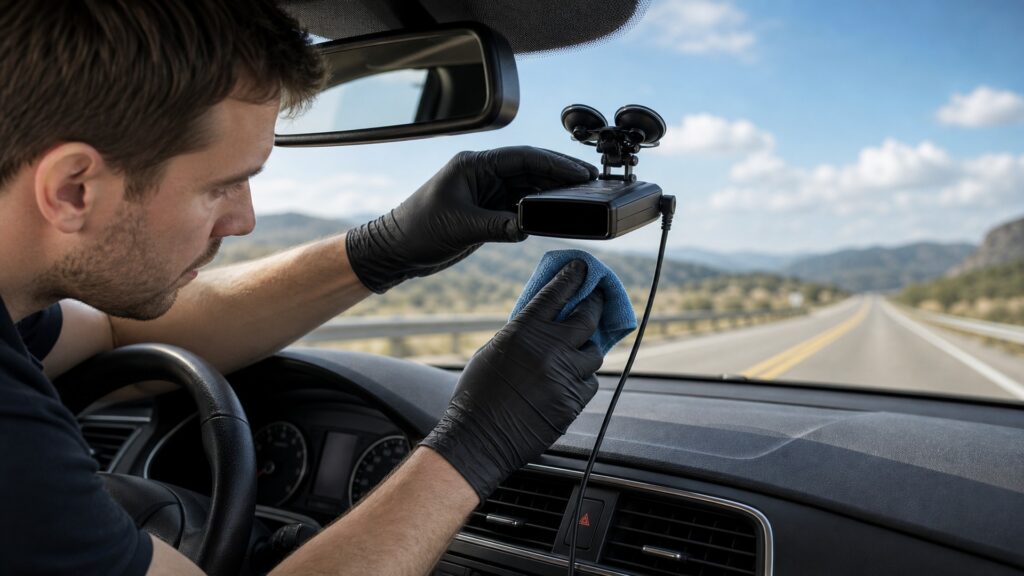
The service plan follows the antenna and laser windows through mounting, power, software, stored locations, wireless links, output, and regression testing.
Tip: Capture configuration and route observations before changing anything; otherwise maintenance can erase the comparison needed to identify improvement or regression.
These terms identify degradation that a simple startup beep cannot isolate.
The unobstructed radio path available to forward, side, and rear receiver elements at the installed location.
The optical surface through which supported pulsed light reaches the detector's laser sensor.
A gradual change in position or orientation caused by heat, vibration, adhesive movement, loose joints, or repeated adjustment.
A supported record of bands, modes, volumes, brightness, lockouts, and other settings made before disruptive service.
Periodic review of stored suppression locations and frequencies for relevance, accuracy, duplication, and nearby changed sources.
A lawful, repeatable drive with documented settings, known fixed sources, road geometry, and conditions used to compare detector behavior.
Tip: Record the affected layer before cleaning, reconnecting, updating, resetting, or deleting stored locations.
Clean the housing and laser windows only with approved materials, inspect for haze or damage, and confirm that glass, accessories, or cargo have not changed antenna exposure. Mark the accepted mount angle for comparison.
Surface care preserves signal entry without disguising hardware limits.
Inspect suction cups, adhesive pads, brackets, hinges, strain relief, cable bends, and connector retention. Compare operation with a known power source when resets or false alerts appear, and check parked draw where relevant.
Stable power and orientation are prerequisites for meaningful comparisons.
Firmware can alter filtering, modes, alerts, compatibility, or bugs; database updates change stored warnings. Record versions and settings, use stable power, read release information, then restore and retest the intended profile.
An update is complete only when the configured detector still behaves as expected.
Review old lockouts, delete obsolete phones, protect accounts, limit location permissions, and confirm cloud or database retention. Stored context can reduce nuisance or silently suppress useful information if it is never audited.
Context maintenance protects both detection transparency and privacy.
After service, verify startup, profile retention, GPS, antennas, known sources, direction, strength ramp, mute, lockouts, display, speaker, audio integration, shutdown, and recovery on a documented route under similar conditions.
Repeatable behavior is stronger evidence than a clean case or current version number.
Clean optics, stable power, current software, and reviewed settings preserve intended capability, but signal geometry, instant-on use, laser targeting, interference, law, and receiver design still set limits.
Known sensor exposure, mount angle, electrical stability, configuration, alert output, and update state can be checked.
Route records reveal gradual drift and update regressions.
Cracked housings, damaged sensors, failed antennas, swollen batteries, unsupported software, or unavailable parts may end service life.
Replacement still requires fresh fitment and legal review.
These myths confuse cosmetic condition or version currency with complete receiver health.
Self-tests cover only functions the product can check internally. They cannot prove windshield transmission, antenna exposure, mount alignment, cable stability, outside interference, GPS accuracy, lockout quality, database relevance, or real-world alert presentation.
Updates may revise filtering, classification, modes, alerts, compatibility, database handling, or saved settings. Record the current profile and route baseline, then repeat representative checks rather than assuming a newer version is behaviorally identical.
A nuisance source may move or disappear, coordinates can be imprecise, and a relevant emitter may appear nearby. Review stored locations, frequency scope, and current behavior so silence remains explainable instead of permanent.
Continuous mounting can expose the device to theft, heat, ultraviolet light, adhesive creep, vibration, connector load, and changing sightlines. Follow storage limits and recheck orientation and retention whenever the vehicle or mount changes.
Tip: Use a saved baseline to evaluate the full chain.
These answers cover inspection timing, cleaning, updates, false-alert changes, storage, and proof after service.
Inspect before trips and after severe heat, a fall, windshield work, cable pulls, vehicle electrical changes, software updates, or new alert behavior. Set a periodic schedule based on use and manufacturer guidance.
Power down as instructed, remove loose grit gently, and use approved cloths and cleaner sparingly. Avoid abrasives, harsh solvents, dressings, or liquid at seams; inspect afterward for haze, scratches, or changed mounting angle.
Record firmware and database versions, enabled bands, sensitivity mode, volume, brightness, GPS settings, lockouts, audio integration, app version, account state, and baseline-route observations. Confirm any supported backup can actually be restored.
A reset profile, changed band, deleted filter, moved mount, different power adapter, new vehicle electronics, altered route environment, or revised classification can change alert volume. Compare one variable at a time with the baseline.
Confirm secure legal mounting, stable power, clean sensor paths, retained configuration, current intended software, reviewed lockouts, protected accounts, known-source behavior, alert presentation, integration, shutdown, and recovery on the documented route.
Radar-detector maintenance matters because sensor exposure, mounts, cables, adapters, settings, firmware, databases, lockouts, pairings, privacy, heat, and outputs can change independently while the screen still lights.
Preserve the baseline, service one layer at a time, and repeat a lawful route check. Success is stable, explainable behavior—not simply fewer or louder alerts.
These explainers identify which layer each service action protects and how to verify it after change.
Map symptoms to antenna capture, filtering, classification, context, or presentation.
Preserve legal placement, glass path, orientation, power, heat, and interference conditions.
Retest startup, scan, alert, suppression, fault, integration, and recovery states.
Choose a retailer
Prices checked regularly. We may earn a commission at no cost to you.