
Visual Occlusion
Road, mirror, instrument, warning, or control information hidden by a display, mount, cable, reflection, or graphic.
- Angular size matters
- Driver eye point changes it
- Transparent graphics can still mask detail
A driving display can support safer decisions only when it provides the right information without hiding the road or demanding excessive attention. Placement, screen content, luminance, warnings, controls, mounting, and failure behavior all influence whether a brief glance remains brief and whether an urgent state is understood.
Safety factors matter because a technically functioning screen can still create risk. It may obscure a pedestrian, wash out a warning in sunlight, glare at night, bury driving information beneath notifications, accept complex interaction in motion, loosen under impact, or freeze without admitting data loss. Each hazard needs its own control and acceptance test.
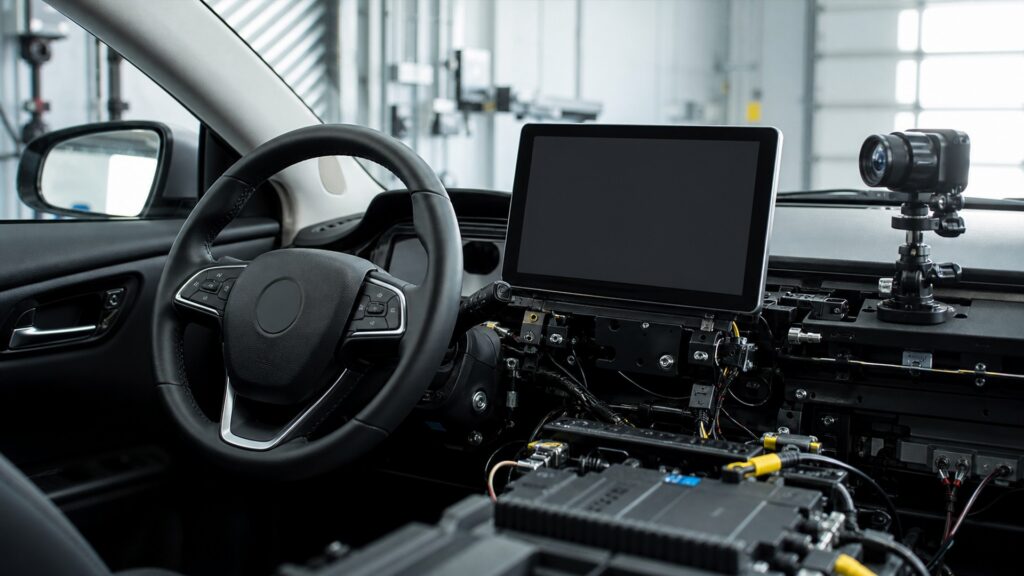
Safe performance depends on unobstructed sightlines, glanceable hierarchy, controlled tasks, readable optics, secure installation, retained messages, and transparent failure.
Tip: Test one hazard at a time from the real driver position; a readable map cannot certify mounting, warnings, lockouts, or a clear road view.
These terms identify different safety boundaries instead of treating distraction as the only display risk.
Road, mirror, instrument, warning, or control information hidden by a display, mount, cable, reflection, or graphic.
The continuous time the driver's gaze remains away from the forward roadway to obtain or act on information.
The ability of a safety-relevant message to attract attention and communicate urgency without unnecessary confusion.
A system restriction preventing selected visual-manual functions during vehicle motion or another unsafe state.
Display light output under dark adaptation, when excess brightness can create glare and reduce contrast outside the vehicle.
Clear indication that a data source, camera, network, renderer, or display function is unavailable or degraded.
Tip: Name the hazardous outcome, then verify the placement, interface, priority, or failure control designed to prevent it.
A panel, projection, mount, cable, or reflected image occupies an angular portion of the driver's view. Position must preserve the roadway, mirrors, instruments, telltales, controls, and deployment zones across regular eye positions, not only from the installer's seat.
Convenient placement is unsafe when it replaces direct road information with obstruction.
Clear hierarchy, familiar symbols, concise text, predictable controls, and prompt acknowledgment help the driver find meaning quickly. Deep menus, small targets, slow responses, unexpected mode changes, or visually dense notifications increase looking, touching, and cognitive correction.
A dashboard location does not make a long visual-manual task compatible with driving.
Navigation, calls, media, climate, apps, and menus can compete with warnings or camera views. Safety-relevant state needs appropriate priority, persistence, acknowledgment, and return behavior so lower-value content cannot silently cover it or make urgency ambiguous.
Priority rules are part of the safety mechanism because screen area is finite.
Sunlight, shadows, reflections, tint, polarized lenses, and viewing angle can reduce daytime contrast. At night, excessive output can reflect in glass and impair dark adaptation. Automatic sensing, manual range, color, contrast, and installation angle must work together.
Maximum brightness is not universal visibility; safe output follows the visual environment.
Brackets and cables should remain controlled under vibration and sudden loading without entering airbags or controls. When input or display function fails, unavailable state should be obvious, necessary fallback information should remain, and recovery should not present stale values as current.
A blank, loose, or falsely current display creates different hazards, and each requires explicit protection.
No single value for size, brightness, placement, or task time captures sightline, information priority, mounting, driver condition, and road context together.
Clear hierarchy, appropriate lockouts, readable optics, secure mounting, retained warnings, and transparent failure reduce avoidable interface hazards.
State-based testing catches conflicts before ordinary driving.
Traffic, weather, driver vision, fatigue, familiarity, seating, and local law change the safety envelope.
Even well-designed information must not replace direct observation or responsible driving decisions.
These myths isolate one apparent virtue—location, brightness, voice, or factory origin—and treat it as proof that every safety boundary passes.
Integration can improve placement and task control, but factory origin does not eliminate visual, manual, auditory, or cognitive demand. Content density, menu depth, feedback, timing, and driver choices still determine attention exposure during use.
High output can improve sunlight visibility yet create nighttime glare, reflections, eye adaptation problems, and unnecessary salience. Useful luminance maintains contrast for essential information across conditions rather than maximizing one brightness number.
Voice can reduce looking and touching, but listening, composing requests, correcting recognition errors, and checking results still use attention. The display should provide concise feedback while complicated or repeated interactions wait until parked.
Location, timing, contrast, persistence, priority, meaning, acknowledgment, and any supporting sound determine whether the driver notices and understands it. A warning hidden beneath an overlay or shown briefly may not perform its function.
Tip: Credit each control only for the hazard it actually limits.
These answers cover windshield placement, brightness, motion lockouts, frozen data, and the acceptance checks that support safer display use.
Assess the complete mount and image from every regular driver eye position, including distant objects behind its angular footprint. Check mirrors, instruments, telltales, controls, wiper area, and airbags against vehicle instructions and current local rules.
No. Inspect transitions in direct sun, shade, dusk, darkness, and tunnels where practical. Confirm essential information remains readable, output does not create excessive glass reflections, and manual adjustment retains a useful safe range.
Long reading, text entry, complex browsing, and repeated menu actions compete with road monitoring. State restrictions reduce opportunities for high-demand visual-manual tasks; do not defeat them, and complete configuration before driving whenever possible.
The system should avoid presenting a frozen value as current, clearly mark unavailable or degraded information, preserve necessary fallback content, and recover predictably. Exact behavior depends on the function and vehicle, so follow documented warnings.
Verify secure mounting, road and instrument sightlines, airbags, control reach, day and night readability, warnings, camera modes, lockouts, input feedback, startup, shutdown, network sleep, failure indication, and recovery from regular driver positions.
Driving-display safety factors matter because road visibility, attention demand, message priority, optical adaptation, mounting, retained functions, and failure transparency can succeed or fail independently.
Protect every boundary and test realistic vehicle states from the driver's eye point. A bright, functioning screen is useful only when it communicates the right state without hiding the road, inviting excessive interaction, or concealing its own failure.
These explainers connect human-factors controls to the display mechanism, vehicle-specific installation, and state-based feature contracts.
Trace source, priority, rendering, optics, and feedback to see where each safety control enters the display chain.
Match sightlines, mounts, glass, wiring, data, warnings, controls, and service access to the exact vehicle.
Define source, state, priority, output, limit, feedback, and fallback for every displayed feature.
Choose a retailer
Prices checked regularly. We may earn a commission at no cost to you.