
Data-Source Contract
The origin, format, validity, update rate, and availability conditions for a value or image shown by the display.
- Ownership can be outside the panel
- Staleness needs handling
- Calibration can remain upstream
A driving-display feature matters only when its complete operating contract works. A speed value needs a valid source and update rate; a reversing image needs the correct gear trigger and video path; a warning needs priority, persistence, acknowledgment, and a fallback if the source disappears.
Feature names hide those dependencies. A panel can advertise navigation, cameras, alerts, and automatic brightness while one function is late, unreadable, suppressed, or active in the wrong state. Defining source, trigger, priority, presentation zone, input feedback, latency, limit, and fallback turns a marketing label into a testable promise and makes faults easier to isolate.
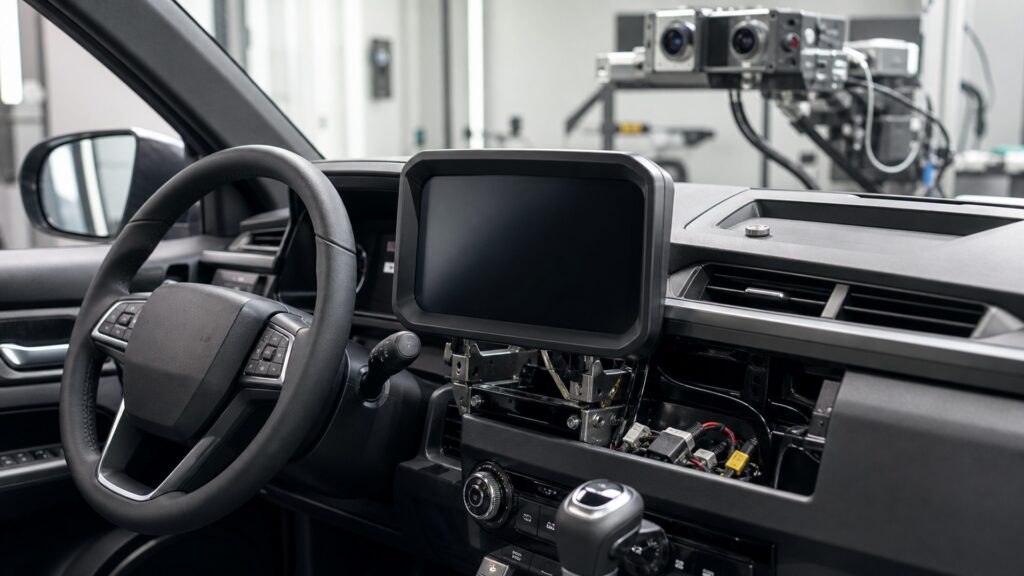
Each capability must identify where its information comes from, when it should appear, what can interrupt it, how it looks, how the driver responds, and what failure shows.
Tip: Replace “supported” with a test sentence: given this source and vehicle state, the display must show this output within this limit and disclose this loss.
These terms expose dependencies that a feature checklist normally compresses into one label.
The origin, format, validity, update rate, and availability conditions for a value or image shown by the display.
A gear, speed, ignition, warning, navigation, or user condition that requests a display mode or message.
A rule deciding which item occupies a presentation zone when several eligible messages exist.
A defined screen, cluster, projection, overlay, or region where particular information is allowed to appear.
Visible or audible feedback confirming that a touch, button, controller, voice command, or gesture was received.
The specified output when source data, communication, rendering, or hardware cannot sustain normal operation.
Tip: Record the required state and observed result for each feature; an untested dependency keeps the operating claim incomplete.
Operating function begins before rendering. Identify the sensor, module, camera, navigation service, or phone supplying the information, along with its format, update timing, calibration ownership, and unavailable state. The display should not make missing data look current.
A crisp number cannot compensate for an invalid input.
Gear selection, ignition state, vehicle motion, warning status, route phase, ambient light, or a driver command can change display mode. Acceptance tests reproduce each condition and verify entry, persistence, exit, and restart rather than checking one static page.
Correct content in the wrong state is still an operating failure.
Warnings, turn guidance, calls, media, and user menus can compete for the same region. Priority rules should preserve driving-relevant information, limit distracting content, keep essential messages visible long enough, and provide understandable acknowledgment without hiding unresolved conditions.
Priority is a functional behavior, not a graphic styling preference.
The required symbol or image must arrive within its latency limit and remain legible across expected daylight, shade, darkness, seating, and viewing angles. Luminance, contrast, font scale, color, motion, glare, and dimming together determine usable visual output.
A feature that exists only under ideal lighting has not met its output contract.
If a camera, network value, map service, renderer, or panel fails, the display should expose unavailable or degraded state without presenting frozen information as current. Inputs need acknowledgment, and recovery after power or communication returns should be repeatable.
Transparent failure is part of reliable function because it prevents false confidence.
The method reveals missing dependencies and ambiguous behavior, while actual vehicle, source, and interface support still determine feasibility.
Source, trigger, priority, output, feedback, limit, and fallback become observable acceptance points.
Faults can be localized without treating every wrong image as a failed panel.
Vehicle-network access, camera formats, calibration, warnings, and legal constraints vary by application.
A contract cannot supply data or a function the installed architecture does not expose.
These myths confuse listed capability or a successful demo state with complete, dependable operation across the vehicle's actual states.
One appearance proves only a narrow source and state. It does not establish startup, transitions, priority under competition, day and night readability, input acknowledgment, latency, fallback, recovery, or behavior after settings and power cycles.
Sensors, control modules, services, and phones commonly own the values, while the display formats them. A wrong or stale number can be faithfully rendered, so diagnosis must test source validity before replacing presentation hardware.
Acknowledgment may silence or collapse presentation without removing the underlying condition. Persistence and return behavior depend on message severity and vehicle design; confirm the exact warning logic rather than assuming dismissal equals resolution.
A frozen value may look current and create false confidence. Depending on function, a safer fallback can mark data unavailable, remove an invalid image, preserve another required instrument, or direct service according to the vehicle design.
Tip: Exercise the full contract before accepting any display feature.
These answers apply operating contracts to speed, reversing cameras, navigation, brightness, and diagnosis after intermittent failures.
Identify the vehicle source, calibration owner, update rate, valid operating states, units, presentation zone, readability limits, fault indication, and behavior during startup or signal loss. The panel's numerical precision alone does not establish accuracy.
Secure the vehicle, then verify trigger timing, correct camera, orientation, field of view, overlay behavior, latency, brightness, exit from reverse, fallback on lost video, and recovery. Follow all exact vehicle and product procedures.
Position data, route calculation, network access, maneuver prediction, communication, priority, graphics rendering, and panel refresh each add delay. Observe where the instruction first becomes available before assigning lateness to the screen itself.
It can use ambient-light sensors, headlamp state, time, camera exposure, user setting, and software curves. Installation, tint, shadows, sensor obstruction, and nighttime adaptation affect the result, so test transitions rather than one brightness level.
They preserve the exact source, trigger, competing content, vehicle state, timing, output, and fallback expected during failure. Reproducing those conditions narrows data, network, software, optical, power, or control causes without random replacement.
Driving-display operating function matters because every useful feature depends on a valid source, correct state, priority, timely readable output, understandable feedback, and honest fallback.
Write those dependencies as an observable contract, then test transitions and failures instead of accepting one successful screen. This exposes incomplete compatibility and keeps stale or suppressed information from masquerading as normal operation.
These explainers trace the complete display chain, test installation compatibility, and evaluate the safety consequences of priority, visibility, interaction, and failure behavior.
Follow data through validation, state management, priority, rendering, optics, and driver interpretation.
Verify whether the exact vehicle, mount, interfaces, sightlines, and controls can support the required contracts.
Evaluate obstruction, glance demand, warnings, brightness, controls, and fault transparency as safety boundaries.
Choose a retailer
Prices checked regularly. We may earn a commission at no cost to you.