
Visual State
A selected arrangement of symbols, text, color, graphics, or video representing current information on a display.
- It can be inspected frame by frame
- Priority affects visibility
- Ambient light affects perception
A driving display organizes current state into visible symbols, text, maps, or camera images at a place the driver can glance toward. A car audio system carries changing electrical waveforms through processing, amplification, speakers, and cabin acoustics so music, speech, prompts, and alerts become sound at the ears.
The systems often meet in one dashboard receiver, but their outputs remain different physical events. Pixels control light; loudspeakers move air. That difference changes placement, bandwidth, timing, attention, accessibility, failure evidence, and testing. Treating the shared screen-and-audio host as one function hides which path actually owns a missing warning, unclear instruction, distorted song, or unreadable state.
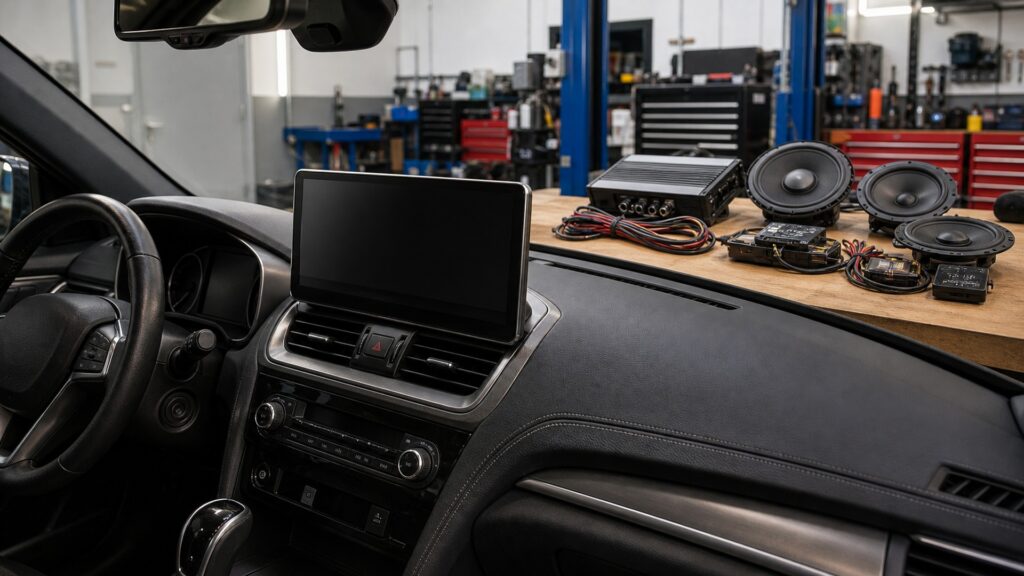
The two systems carry different information forms through different physical outputs, then coordinate when a message uses both visual and auditory channels.
Tip: For any missing message, ask whether its intended proof is a visible state, an audible waveform, or a coordinated pair, then test only that route first.
These terms separate visual information presentation from sound reproduction while preserving their coordinated warning roles.
A selected arrangement of symbols, text, color, graphics, or video representing current information on a display.
Time-varying air pressure produced from an electrical signal and perceived as speech, music, tone, or noise.
Controlled light emitted or modulated at display picture elements to form an image.
Conversion of amplified electrical current into diaphragm motion and acoustic output.
A safety or status message intentionally presented through both visual and audible channels.
The visual, manual, auditory, or cognitive resources required to receive or act on information.
Tip: Keep the source, physical output, sensory channel, and diagnostic evidence attached to the correct system.
A display commonly reduces many inputs to an icon, number, map segment, or live image appropriate to the current mode. Audio preserves rapid amplitude changes so speech and music remain recognizable across time. Compression or processing in either path serves a different perceptual output.
The modality determines what must remain intact as information travels.
Panel electronics address pixels or a projection source, and optics deliver contrast to the eyes. Amplifiers drive electrical loads, speakers move diaphragms, and the cabin shapes pressure at the ears. Brightness cannot repair distortion, and amplifier power cannot sharpen text.
Each system must be judged by the physical output it actually produces.
Driving displays cluster near instruments, the center stack, a mirror, or a head-up projection where essential content can be found briefly without blocking the road. Audio can use speakers around the cabin, and their relative arrival, mounting, and coverage determine the result.
The best visual location and the best acoustic layout solve different geometry problems.
Navigation, calls, parking aids, and safety messages can combine a visual state with a chime or spoken cue. The systems may duck entertainment, interrupt lower-priority graphics, or route audio to a specific speaker. Coordination requires timing and retained-function tests on both paths.
A working icon does not prove its tone, and a tone does not prove the displayed meaning.
A stale number, missing overlay, frozen camera image, or unreadable glare begins on the visual path. Noise, clipping, missing frequency bands, channel imbalance, or rattles begins on the audio path. A shared receiver can fail one subsystem while the other remains healthy.
The fastest diagnosis assigns the symptom to its intended sensory output before replacing the shared host.
Integration can coordinate controls and messages, while visual rendering and acoustic reproduction retain different downstream components and limits.
Navigation graphics and spoken prompts can share timing and priority while remaining independently testable.
Common controls can reduce duplication when feedback clearly indicates which system changed.
A receiver screen does not include the complete amplifier, speaker, and cabin path.
Audio playback cannot validate data accuracy, pixel readability, camera latency, or visual priority.
These myths confuse shared dashboard hardware, multimedia content, or dual-channel warnings with identical system responsibility.
A receiver may host graphics, sources, controls, processing, and output connections, but the display path can include vehicle data and cameras, while the audio path continues through amplifiers, wiring, speakers, mounting, and cabin acoustics.
Screen area can change interface layout and visual information, but it does not create clean amplifier power, correct speaker loads, rigid mounting, enclosure behavior, or acoustic tuning. Any audio change must be traced to actual signal-path differences.
Sound can attract attention and communicate turns without a glance, but visual maps, lane detail, distance, and current state provide different information. Neither modality is complete in every context, and coordination should preserve driving priority.
Some warnings use factory amplifiers or speakers, while others remain visual. A displayed telltale cannot certify chime routing, level, timing, or intelligibility; trigger every retained cross-modal message after audio or display work.
Tip: Assign every claim to the visual or acoustic output it can actually prove.
These answers address shared receivers, navigation, warnings, placement, and diagnosing a failure when one modality still works.
It can share a receiver, controls, navigation, phone projection, and prompts, but the display remains the visual-output path. The car audio system continues through electrical amplification, speaker loads, transducers, enclosures, mounting, and cabin response.
The visual path can show route shape, lanes, distance, and context, while speech announces timely actions without continuous looking. Good coordination prioritizes driving information and may lower entertainment audio so the instruction remains intelligible.
Ownership depends on the exact vehicle. A control module may command a tone through the instrument cluster, receiver, amplifier, or dedicated speaker while a display presents related state. Identify both paths before modifying either system.
Audio decoding and output may continue after a display state manager, graphics process, video link, or panel stalls. Shared power and software remain possible causes, but working sound only proves selected portions of the audio path.
Trigger each source, display state, warning, camera, control, audio channel, prompt, startup, and shutdown condition. Inspect readability from the driver seat, listen for clean routed output, and confirm cross-modal timing and recovery separately.
Driving displays differ from car audio systems because they render selected current state as light, while audio systems reproduce time-varying signals as sound throughout the cabin.
Keep modality, placement, physical output, and fault evidence separate even when one receiver hosts both. Coordinate warnings and guidance with state-based tests, but never let a working screen certify sound or working speakers certify visual information.
These explainers develop the display's source-to-light chain, the reciprocal audio comparison, and operating contracts for feature-level acceptance.
Follow vehicle state through priority, rendering, optics, and driver interpretation on the visual side.
Start from the audio system and compare its waveform, transduction, placement, and failure evidence with driving displays.
Turn individual display features into testable source, state, output, and fallback contracts.
Choose a retailer
Prices checked regularly. We may earn a commission at no cost to you.