
Decision-Time Information
Current state that can influence an immediate maneuver, response, or control choice while it remains relevant.
- Latency affects usefulness
- Priority affects discovery
- Stale state can mislead
A driving display reduces many possible inputs to the information useful now: current speed, an urgent warning, the next maneuver, or a camera view tied to reverse or another vehicle state. Its value depends on selection, priority, latency, readability, and a clear response when data disappears.
A dash camera accepts a different assignment. It captures a defined scene over time, encodes successive segments, manages finite storage, and preserves or exports relevant files for later review. Both systems can show video, but one supports an immediate decision and the other builds history. The distinction survives even inside one integrated product.
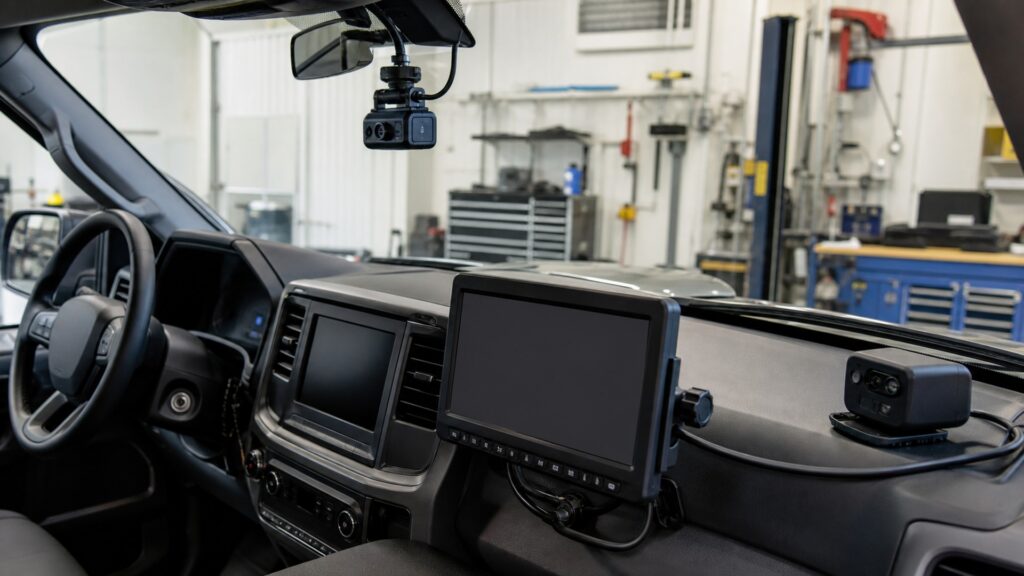
The display path selects current state for a glance; the recording path continually commits scene information so an earlier moment can be reconstructed later.
Tip: Ask whether the information loses its value after the moment or gains value later. That time horizon identifies the primary system and its necessary proof.
These definitions describe two different time horizons and output contracts behind visually similar camera imagery.
Current state that can influence an immediate maneuver, response, or control choice while it remains relevant.
A deliberate subset of available data chosen for a screen region, mode, or projection at a given moment.
Video presented with low enough delay for its supported current viewing task, without necessarily being stored.
Ongoing acquisition and storage intended to leave a reviewable record after the observed scene has passed.
Division of continuous encoded video into discrete files that can be closed, indexed, overwritten, protected, and retrieved.
The absence of unexplained gaps across the intended operating period, including starts, file boundaries, and power transitions.
Tip: Keep the display's current state and the recorder's retained file as separate artifacts throughout comparison and testing.
A display state manager suppresses most inputs so the driver sees only eligible, prioritized content. A dash camera generally keeps capturing its assigned view with little intervention, because an event's importance may not become clear until after it occurs.
One system creates value by omission; the other creates value by retaining temporal context.
Turn guidance, speed, and maneuver camera views must arrive before the decision and may become irrelevant seconds later. Recorded video supports reconstruction after a crash, dispute, unusual sound, or parking event, so chronology, retention, and export dominate its later value.
The opposite time horizons explain why latency and storage receive different weight.
Drivers may acknowledge warnings, change display pages, zoom navigation, or activate a camera view through supported controls. A configured recorder should normally start, segment, and protect according to policy without repeated attention, with complex review reserved for a parked state.
Intentional interaction is central to presentation but a potential interruption to continuous capture.
When display data disappears, the system should mark it unavailable, preserve necessary fallback, and avoid showing frozen state as current. A recorder may fail silently while preview continues, so warnings help but opened files remain the stronger proof of storage continuity.
Failure transparency is visual for one system and evidentiary for the other.
An integrated mirror or receiver may present a live view and record video from the same camera. After the branch, the display path manages timing, mode, and optics; the recording path manages encoding, media, protection, and retrieval. Either path can fail alone.
Shared acquisition reduces hardware duplication but never combines the acceptance artifacts.
Both systems may process video, while selection, time horizon, interaction, storage, and failure response remain different.
Current relevance, priority, low latency, optical readability, and driver feedback support an immediate task.
Fallback can disclose when current information is no longer trustworthy.
Continuous scene history, timestamps, segmentation, retention, protection, and export support later review.
Recording does not guarantee that a driver can or should consult the image during a maneuver.
These myths treat a visible camera image, built-in storage, or one combined enclosure as proof that the two information lifecycles are interchangeable.
A display can show a reversing, side, trailer, surround, or mirror view without any encoder, storage medium, retention rule, timestamp, or export path. Confirm recording only by checking documentation and retrieving an actual file.
A later recording may show what happened, but it does not guarantee the low latency, orientation, placement, field of view, trigger logic, overlays, or driver-readable presentation needed to support an immediate maneuver.
Shared lenses and wiring can feed separate display and recording branches. Verify mode timing, image orientation, glare, and fallback for presentation, then verify segmentation, timestamps, storage continuity, event retention, and export for recording.
Storage duration improves later history but does not make current information clearer, more timely, better prioritized, or easier to glance at. Display usefulness depends on selection and optical presentation, not the size of an archive.
Tip: Test immediate presentation and later retrieval as separate promises.
These answers clarify camera overlap, reversing views, integrated mirrors, failure modes, and which system to prioritize for a stated need.
Only if the exact system also records the required scene continuously or in defined states, timestamps and segments files, manages retention, and supports retrieval. Many reversing displays are live-only and stop presenting outside reverse.
The sensor and preview path may remain healthy while encoding, file closure, storage media, protected capacity, or write power fails. A visible image therefore proves acquisition and display, not persistence; retrieve sample files independently.
Verify live-view field, orientation, latency, brightness, reflections, fallback, and mode switching. Separately verify recording coverage, timestamps, segment continuity, media errors, event protection, retention, and export under every intended power state.
Priority follows the requirement and any mandated vehicle function. Preserve required visibility and warnings first, then define immediate presentation and later evidence separately. Do not weaken road sightlines, airbags, battery behavior, or existing systems for either.
Trigger each display state and confirm correct, timely, readable output plus fallback. Then retrieve several recorded segments spanning startup and a file boundary, confirm time and coverage, and copy a protected event outside the device.
Driving displays differ from dash cameras by selecting current information for an immediate glance, while dash cameras preserve a broader time sequence for later retrieval.
A live video overlap does not erase priority, latency, interaction, storage, retention, or fallback differences. Accept the display with state-and-readability tests and the recorder with opened, continuous, correctly timed files.
These explainers trace each path independently and provide the reciprocal recorder-led comparison for readers approaching the boundary from the evidence side.
Follow current data through selection, priority, rendering, optics, and driver feedback.
Trace continuous scene capture through encoding, segmentation, overwrite, protection, and retrieval.
Start from the dash-camera evidence requirement and compare it with live display presentation.
Choose a retailer
Prices checked regularly. We may earn a commission at no cost to you.