
Visual Hierarchy
The ordered prominence of warnings, maneuvers, current state, and secondary content on a limited display area.
- Priority affects glance time
- Clutter hides meaning
- State changes eligibility
Use a driving display when the missing function is visual and time-sensitive: a maneuver, current vehicle state, prioritized warning, or supported camera view that must be interpreted during a brief glance. Its job is to select, arrange, and present information for an immediate decision.
Use a car audio system when the unmet function is acoustic: selecting a source, decoding media, processing channels, driving amplifiers, and producing sound through speakers. Some receivers contain both functions, and navigation may speak through the audio path, but shared hardware does not erase ownership. Start with the output that must improve, then preserve the other system's required behavior.
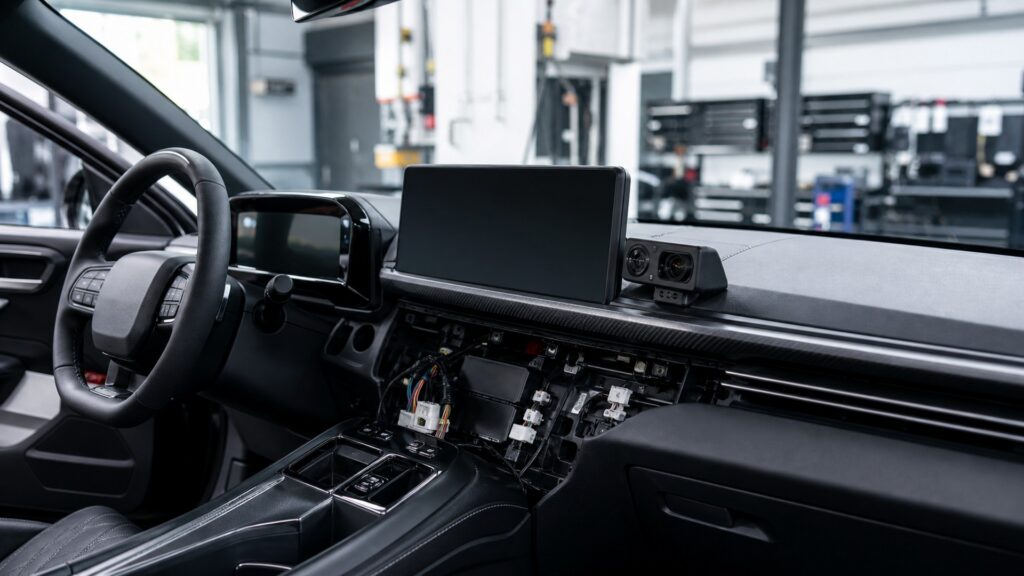
The decision follows the required artifact: readable current state on a screen, controlled acoustic output in the cabin, or two independently testable results.
Tip: Write the unmet requirement as a verb and output—show the next maneuver or reproduce clean speech—before comparing products.
These definitions keep the decision tied to function when products combine touchscreens, maps, microphones, amplifiers, and speakers.
The ordered prominence of warnings, maneuvers, current state, and secondary content on a limited display area.
A visual or audible instruction tied to route position, direction, lane context, and the next planned action.
A live image displayed for a supported vehicle state such as reverse, towing, side view, or digital mirror use.
The chain that selects radio, stored media, phone, microphone, or another program and sends it toward processing.
Changes to level, frequency balance, delay, routing, dynamics, or decoding before amplification and reproduction.
The component or subsystem responsible for producing, controlling, and reporting a specified result.
Tip: Assign each requirement to the path that transforms its input into the needed output.
Speed, route maneuvers, warnings, vehicle settings, and live camera views lose value if they arrive late, are hidden, or cannot be read quickly. A display owns selection, visual priority, layout, luminance, and state feedback for those functions.
A larger speaker or stronger amplifier cannot create readable current state.
Radio reception, media playback, phone audio, equalization, channel routing, amplification, and speaker drive belong to the audio chain. If the complaint is weak bass, distortion, noise, imbalance, or insufficient output, display replacement misses the controlling stages.
A touchscreen can control sound without being the stage that produces it.
The navigation function calculates a maneuver and schedules a prompt; the audio system renders that prompt through a selected channel and may duck media. Missing words, wrong timing, or poor intelligibility must be separated at the handoff.
A shared spoken instruction creates an interface, not a single undifferentiated system.
A portable or supplemental display can add navigation, supported vehicle data, or a camera view without replacing a satisfactory receiver and amplifier chain. The installation must still provide safe sightlines, secure mounting, clean power, and compatible inputs.
Preserving a working subsystem can reduce integration risk when only presentation is missing.
An in-dash unit may legitimately own display and audio functions together. Choose that path when the vehicle opening, interfaces, retained warnings, controls, camera formats, source needs, amplifier connections, and speaker system can all be supported and tested.
One chassis can satisfy both needs only when neither acceptance test is skipped.
Many audio receivers have screens, while dedicated displays may produce prompts through speakers. Form factor is weaker evidence than the transformation and output each system owns.
The unmet need is current visual guidance, a supported camera image, prioritized warning, or vehicle state.
Existing audio quality and source operation already meet the requirement.
The complaint is distortion, noise, source selection, channel routing, power, tonal balance, or speaker output.
A display upgrade cannot bypass an acoustic bottleneck downstream.
These myths choose equipment by appearance or marketing category instead of the missing function.
A touchscreen may control a radio while also presenting maps or cameras. Primary purpose does not decide the repair. Identify whether the failed contract is visual state, source handling, signal processing, amplification, or speaker reproduction.
Route calculation, map matching, maneuver timing, and visual guidance can work without cabin playback. Spoken prompts use the audio path, but their information originates upstream. Diagnose the maneuver and the reproduced prompt as separate outputs.
Adding rather than replacing hardware reduces some risks, but mounting, wiring, data interfaces, camera triggers, power states, road sightlines, airbags, and existing controls can still be affected. Verify every retained function in the installed vehicle.
Speakers can improve an associated chime or prompt, but they cannot correct hidden graphics, stale values, weak sunlight contrast, wrong camera orientation, or excessive display latency. The visual path still needs its own acceptance test.
Tip: Demand an independent test for visual and acoustic promises.
These answers apply the decision to navigation, cameras, sound problems, integrated receivers, and post-installation proof.
Yes, when reliable visual route guidance is the unmet requirement and the existing audio system remains satisfactory. Confirm map coverage, mounting, power, satellite reception, prompt routing, daylight readability, and safe interaction before selecting the device.
Only indirectly if it replaces a noisy source or provides cleaner output to the audio chain. It cannot repair weak amplification, damaged speakers, poor installation, acoustic cancellation, or incorrect tuning. Diagnose the controlling stage first.
Choose integration when both display and audio requirements must change and the exact vehicle supports the opening, data interfaces, controls, cameras, warnings, amplifier connections, antenna functions, power states, and service access without losing required behavior.
Not automatically. Confirm that route guidance creates the correct prompt, prompt volume and mute settings are enabled, media ducking occurs, and the output path is connected. Replace audio hardware only when that chain is the limitation.
Trigger visual warnings, maps, maneuvers, camera modes, dimming, controls, startup, and fallback. Separately test every audio source, channel, prompt, call, amplifier state, and speaker output. Confirm priorities when navigation and media compete.
Use a driving display when the unmet result is timely, readable visual information for a driving decision; use a car audio system when the unmet result is controlled sound from source to speakers.
When one product performs both roles, maintain two requirement lists and two acceptance records. Shared controls, prompts, or enclosures never justify diagnosing by appearance alone.
These explainers trace display presentation, receiver audio transformation, and GPS navigation so the selected solution can be specified and tested at its true boundaries.
Follow vehicle information through selection, rendering, optics, and driver feedback.
Compare presentation and acoustic reproduction by inputs, transformations, time horizon, and failure evidence.
Trace satellite ranging, position estimation, map matching, route search, and maneuver delivery.
Choose a retailer
Prices checked regularly. We may earn a commission at no cost to you.