
Information Requirement
A defined vehicle, route, camera, or warning state that must be visible under stated driving conditions.
- It identifies the source
- It specifies timing
- It includes a readability test
Use a driving-display project when the missing result is visual: a readable instrument state, head-up cue, camera monitor, navigation presentation, or supplemental data placed where it can support a brief glance. That need may exist even when the factory receiver and audio outputs already work well.
Use a head-unit project when the bottleneck is source access, phone projection hosted by the receiver, dashboard media controls, decoding, preamp routing, or internal speaker output. A receiver may include a screen, but screen presence does not make every visual requirement a receiver problem. Choose the smallest component boundary that owns the missing information or signal.
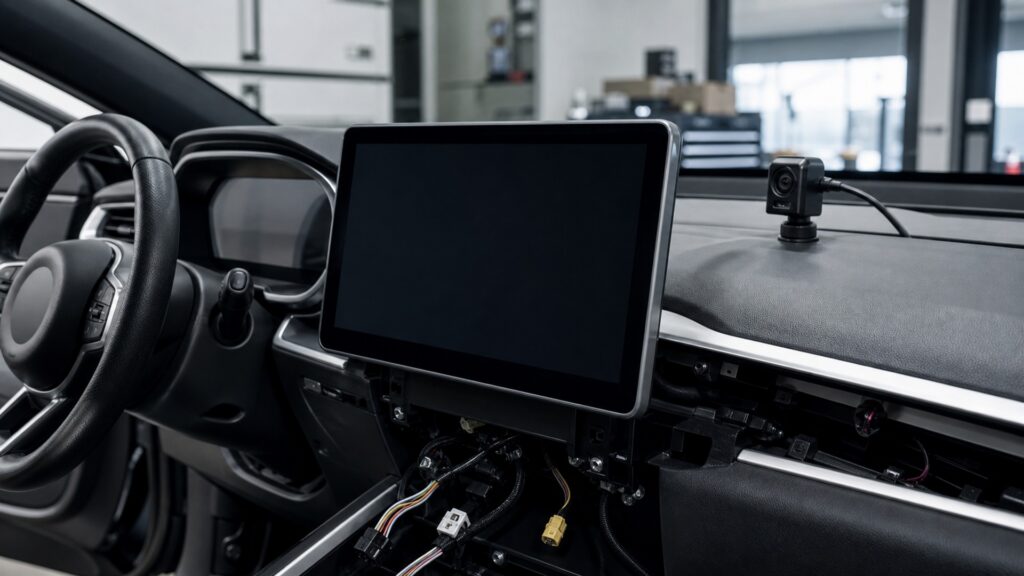
The decision separates dedicated visual-state delivery from the receiver's source, control, processing, and audio-output responsibilities.
Tip: Describe the missing output without naming a product, then identify the first device that can create and place that output while retaining everything already required.
These terms turn a screen-shopping question into a bounded choice between visual presentation and receiver replacement.
A defined vehicle, route, camera, or warning state that must be visible under stated driving conditions.
A display function assigned to a particular visual job rather than the receiver's broader media interface.
Source acquisition, user control, decoding, signal processing, and available audio or accessory outputs managed by the head unit.
An original warning, control, camera, setting, amplifier command, antenna, or data feature that must survive modification.
The first observed stage that cannot deliver the required output under a repeatable condition.
The explicit list of components, interfaces, functions, and acceptance tests included in the chosen project.
Tip: Begin with the information, location, and vehicle state; add audio or receiver requirements only when the outcome truly depends on them.
A separate display fits when the essential requirement is speed, navigation, camera coverage, trailer information, instrumentation, or another current state at a specific sightline. Define source, update rate, priority, size, optical conditions, and fallback before selecting hardware.
The display project is justified by information that must be seen, not simply by a desire for another panel.
The receiver owns radio, connected media, calls, supported phone projection, user controls, decoding, preamp outputs, and often camera switching. Replace it when those upstream capabilities are the proven limit and required factory functions can be retained.
A receiver change is honest when the needed result originates or terminates at its interface boundary.
A receiver screen may sit too low, lack a needed vehicle-data source, offer unsuitable camera timing, or prioritize media over the required state. Conversely, a dedicated display may show information well but cannot add receiver decoding or audio-output capability.
Choose by functional ownership and placement, not by the fact that both products have screens.
Replacing a receiver can disturb warnings, amplifiers, cameras, controls, climate information, or settings. Adding a display can also duplicate or obscure required information. The narrower project is the one that preserves the vehicle architecture with fewer unsupported translations and removals.
A physically simple swap can be the larger systems project when factory functions converge in one module.
For a display, confirm correct source, priority, latency, readability, placement, controls, and fallback. For a receiver, confirm sources, calls, audio outputs, cameras, retained cues, startup, and sleep. When both remain, test them together for conflicts.
The smallest project wins only after it passes the requirement without weakening an existing function.
A purpose-specific display can solve a visual placement need efficiently, while a receiver remains the proper boundary for upstream media and audio functions.
The required output is current visual state at a defined sightline, and the existing receiver already performs its source and audio jobs.
A supported interface can supply data without displacing required factory information.
The requirement concerns receiver-hosted sources, controls, projection, decoding, camera switching, or audio outputs.
A separate display would duplicate a screen without reaching the actual bottleneck.
These myths treat every screen as interchangeable and ignore source ownership, sightline, factory integration, or downstream audio responsibilities.
Screen area cannot create missing instrument data, move information into a head-up sightline, guarantee camera compatibility, or preserve factory warnings. The receiver must support the exact source, priority, placement, and vehicle interface required by the visual task.
A separate instrument, projection, or camera monitor does not automatically acquire radio and phone sources, manage calls, decode media, control audio processing, or provide preamp and speaker outputs. The receiver retains its distinct upstream role.
Cost does not reveal integration scope. A low-priced receiver may require several interfaces and retained-function compromises, while a supported display may add one clean data path; in another vehicle, the reverse can be true.
A receiver and dedicated display can coexist when each owns a clear information set, neither obstructs required sightlines, power and data interfaces are supported, warnings retain priority, and controls do not create unnecessary driver workload.
Tip: Keep the required output and first controlling stage at the center of the decision.
These answers clarify navigation, head-up displays, phone projection, factory integration, and the tests that distinguish the two scopes.
Choose by source, placement, controls, and audio needs. A separate display may fit when the receiver works and only route presentation is missing; receiver replacement fits when supported projection, source control, prompts, or dashboard integration is required.
Use it when a supported speed, warning, or navigation state must appear in a defined forward sightline and the windshield, eye range, data source, brightness, and projection geometry can be verified without obscuring required information.
Phone-based systems commonly project through a compatible receiver, but exact architectures vary. If the requirement is the full supported phone interface with audio and controls, verify the receiver; a separate display may offer only a narrower presentation.
Inventory every telltale, message, chime, camera, control, and setting hosted by the original modules. Select only replacement or add-on hardware that retains required priority and behavior, then trigger those states during final acceptance.
Reproduce the original missing outcome. For a display, verify data, latency, priority, readability, controls, and fallback; for a receiver, verify sources, projection, calls, outputs, cameras, cues, startup, shutdown, and vehicle sleep.
Use driving displays instead of car stereo head units when the missing result is dedicated visual presentation of current state at a suitable sightline, not receiver source or audio capability.
Define the information and its location, identify the first controlling stage, preserve factory functions, and accept the narrowest project with state-based tests. Screen shape alone cannot decide ownership.
These explainers trace the dedicated visual chain, the receiver's source-and-output chain, and display fitment constraints that can determine the better scope.
Follow the source, priority, rendering, optics, and feedback path behind a dedicated display outcome.
Trace receiver wake, sources, controls, decoding, audio outputs, cameras, and vehicle interfaces.
Test sightlines, optical conditions, mounting, data interfaces, warnings, and service access in the exact vehicle.
Choose a retailer
Prices checked regularly. We may earn a commission at no cost to you.