Why Driving Displays Maintenance Role Matters

Driving displays age through several quiet paths. Film on the cover glass lowers contrast, mounts creep, connectors fret under vibration, cable bends tighten, software changes, settings reset, and ambient-light or vehicle-data inputs drift. The screen may still illuminate while its information becomes harder to see or less trustworthy.

Maintenance matters because the driver uses the final presentation, not merely the powered panel. A useful routine keeps the optical path clear, the hardware restrained, the interfaces stable, the software and configuration known, and failure states honest. It also records what changed, so a new symptom can be traced without replacing unrelated parts.

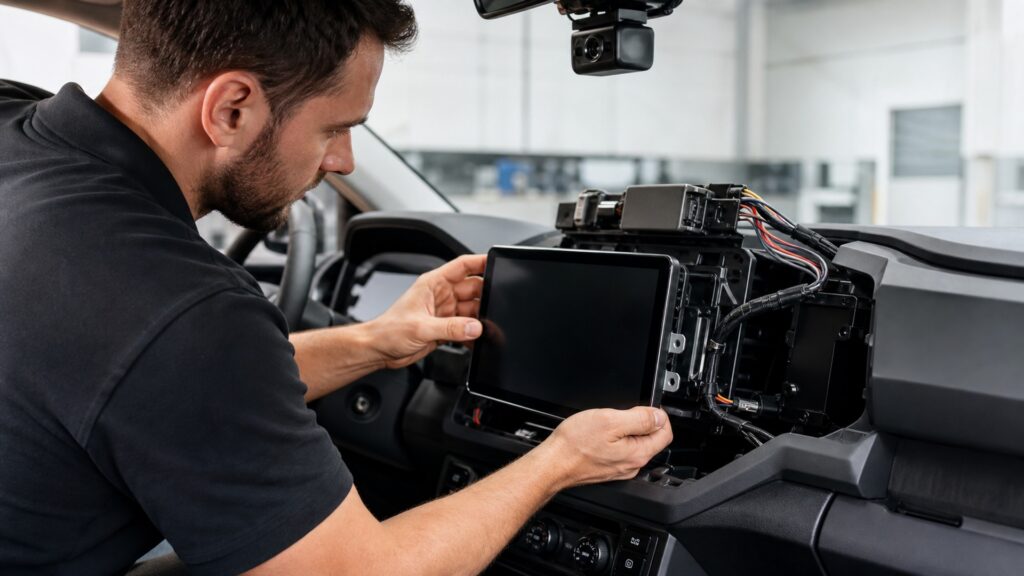
By: Review Streets Research Lab
Updated: September 2, 2026
Explainer · 8-12 min read
driving displays maintenance role explainer hero image for Review Streets
What You'll Learn

Maintain the Entire Presentation Chain

The maintenance job extends from the driver-facing surface to the vehicle signals and fallback states that make each displayed value credible.

  • How residue and scratches alter readable contrast
  • Why vibration changes mounts and connectors
  • What updates can change besides features
  • How to separate bad input from bad rendering
  • Why dimming and thermal behavior need real conditions
  • Which failure states deserve deliberate tests
  • What a maintenance record should preserve

Tip: Compare each check with a known state and driver position; a bright home screen is not proof that every safety-relevant mode remains correct.

Definitions

Key Concepts That Define Driving Display Maintenance

These terms name common forms of gradual degradation that a simple power-on check cannot isolate.

Optical Contamination

Dust, oils, film, residue, or surface damage that scatters light, lowers contrast, or increases reflections between the display and driver.

  • Cleaning chemistry must suit the surface
  • Residue can mimic weak brightness
  • Scratches can create night flare

Mount Drift

A gradual change in display position or angle caused by vibration, adhesive movement, fastener relaxation, heat, or repeated adjustment.

  • Sightlines can change
  • Glare geometry can worsen
  • Cable loads may increase

Connector Fretting

Microscopic wear or oxidation at contact surfaces produced by small repeated movement, potentially creating intermittent power, data, or video behavior.

  • Vibration can trigger it
  • Reseating may hide it briefly
  • Retention must be inspected

Configuration Retention

The ability to preserve calibrated choices, vehicle-specific mappings, priorities, brightness behavior, and other settings through shutdowns and updates.

  • Defaults may be unsafe
  • Backups can be limited
  • Versions belong in records

Source Plausibility

A reasonableness check comparing displayed information with vehicle state, another trusted indication, or expected transitions.

  • Zero can differ from unavailable
  • Frozen data may look valid
  • Cross-checks narrow the fault

Fallback Test

A controlled check of how the system identifies lost data or function and what information remains available afterward.

  • Safe methods are function-specific
  • Stale values must not persist
  • Recovery also needs proof

Tip: Record the affected layer before cleaning, reconnecting, updating, or resetting anything.

Optical Care

A Clean Surface Preserves Contrast Before Brightness Is Increased

Road film, fingerprints, dressings, dust, and incompatible cleaners can create haze or damage coatings. Cleaning with approved materials restores the intended light path and helps distinguish surface scatter from failing backlight, weak pixels, or poor dimming logic.

  • Inspect with screen off and on
  • Use manufacturer-approved cleaner
  • Check reflections from the driver seat
  • Avoid flooding seams or buttons

Optical maintenance removes a variable without masking placement or luminance faults.

Mechanical Stability

Mounts and Harnesses Must Hold Their Geometry under Vehicle Motion

Vibration and temperature cycles work on suction cups, adhesive pads, hinges, brackets, fasteners, strain relief, and hidden cable routes. Movement can shift sightlines, load connectors, create rattles, or place hardware near controls and restraint zones.

  • Mark the accepted viewing angle
  • Check fastener and adhesive condition
  • Inspect cable bends and strain relief
  • Confirm airbags and controls remain clear

Stable geometry protects both readability and the electrical interfaces behind it.

Software State

Updates Require a Known Baseline and a Recovery Plan

Firmware and application changes may correct defects or add compatibility, but they can also alter menus, permissions, paired devices, maps, priorities, or stored settings. Record versions and critical configuration before updating, then retest the functions that matter.

  • Review release and compatibility notes
  • Preserve supported settings
  • Maintain stable update power
  • Recheck warnings, cameras, and controls

Maintenance owns the configuration after an update, not merely the successful download.

Inputs and Environment

Displayed Errors May Begin Outside the Panel

A camera, antenna, vehicle network, phone link, ambient-light sensor, or upstream module can send missing, late, or implausible state. Heat and cold may expose marginal connections or change brightness behavior only under particular conditions.

  • Compare multiple vehicle states
  • Observe source-status indicators
  • Inspect day and night dimming
  • Separate input loss from render failure

Component replacement becomes more accurate when the failing layer is identified first.

Acceptance Records

Maintenance Ends with Functional Proof and a Traceable Result

After service, trigger representative warnings, camera modes, navigation states, control inputs, startup, shutdown, sleep, and source loss. Record versions, settings, symptoms, environmental conditions, and the exact tests that passed or remained limited.

  • Use a repeatable state checklist
  • Test from regular driver positions
  • Document any unsupported function
  • Schedule follow-up for intermittent faults

A maintenance record turns later change into evidence instead of recollection.

Quick Reality Check

Maintenance Preserves Trust, Not Unlimited Service Life

Cleaning, restraint, updates, and testing can maintain intended behavior, but they cannot restore unsupported software, delaminated panels, exhausted backlights, unavailable parts, or obsolete interfaces.

What Routine Care Can Protect

Optical contrast, mount geometry, connector stability, known configuration, and visible fault behavior can be checked repeatedly.

Records reveal whether degradation follows heat, vibration, updates, or one source state.

When Repair or Replacement Takes Over

Physical panel damage, internal electronic failure, lost vendor support, or incompatible vehicle changes may require qualified repair or replacement.

A reset should never erase evidence before the symptom and configuration are documented.

Common Myths

Misconceptions About Driving Display Maintenance

These myths confuse a lit panel with an accurate, stable, and readable information system.

If the display powers on, maintenance is unnecessary

Power confirms only part of the electrical path. It does not prove clean optics, stable mounting, current data, retained warnings, correct dimming, responsive controls, known software, or honest fallback when an upstream source disappears.

A factory display never needs software attention

Factory integration does not freeze software or map dependencies. Updates, service campaigns, battery events, module replacement, and configuration changes can affect behavior. Record the baseline and retest vehicle-specific functions after any relevant change.

Maximum brightness solves an aging display

Higher output may hide contamination briefly while increasing night glare or heat. Clean and inspect the optical path, verify ambient-light response and viewing angle, then compare uniformity and contrast before diagnosing the panel itself.

Resetting is always the best first repair

A reset can clear transient state, but it may also erase pairings, calibration, preferences, logs, and the conditions needed to reproduce an intermittent fault. Document symptoms and configuration before using a reset deliberately.

Tip: Require proof at the output, source, and failure boundaries.

FAQ

Frequently Asked Questions About Driving Display Maintenance

These answers address service intervals, cleaning, updates, intermittent faults, and the proof required after maintenance.

How often should a driving display be inspected?

Use the manufacturer schedule and inspect sooner after installation work, severe heat, vibration, cleaning spills, battery service, or a new symptom. Mount position, cable restraint, surface condition, dimming, controls, and critical modes deserve periodic checks.

What is the safest way to clean the screen?

Power down when instructed, remove loose grit gently, and use the device-approved cloth and cleaner applied sparingly. Avoid abrasive products, harsh solvents, flooding edges, or household dressings that can damage coatings or leave reflective residue.

Should every available update be installed immediately?

Review applicability, release notes, power requirements, support status, and recovery instructions first. Preserve supported settings, use a stable update environment, and schedule enough time to retest warnings, cameras, controls, connectivity, dimming, and sleep behavior.

How should an intermittent blank screen be diagnosed?

Record temperature, vibration, vehicle state, source, and duration before disturbing connections. Check power and ground behavior, harness retention, network or video status, and fault logs, then reproduce safely instead of assuming the panel failed.

What proves maintenance was successful?

Confirm clean readable output by day and night, stable mounting, responsive controls, correct source data, retained priorities and settings, expected startup and sleep, explicit unavailable states, and predictable recovery. Record the versions and tested conditions.

Bottom Line

Driving-display maintenance matters because optical, mechanical, electrical, software, data, and human-interface degradation can occur independently while the panel still appears alive.

Preserve a known baseline, correct one layer at a time, and finish with state-based proof from the driver position. Maintenance succeeds when information remains timely, legible, stable, and honest about failure.

Next Steps

Continue from Maintenance to Display Operation

These explainers connect recurring care to the underlying display mechanism, installed geometry, and feature-by-feature operating contracts.